





You don’t always need to buy a new smartphone, laptop, tablet, or smartwatch to improve your technology setup.
Sometimes, the right accessory can make the device you already own more useful, comfortable, productive, and enjoyable.
In 2026, there are more tech accessories available than ever. From fast charging solutions and wireless earbuds to laptop docks, portable storage, power banks, keyboards, and smart stands, relatively small upgrades can make a noticeable difference in everyday use.
The challenge is knowing which accessories are actually worth buying.
Some products solve genuine problems, while others simply add features you may never use.
In this guide, we’ll look at the best tech accessories in 2026 that can upgrade your everyday devices without requiring you to replace them.
Why Tech Accessories Matter in 2026
Modern devices are already powerful, but accessories can extend their capabilities.
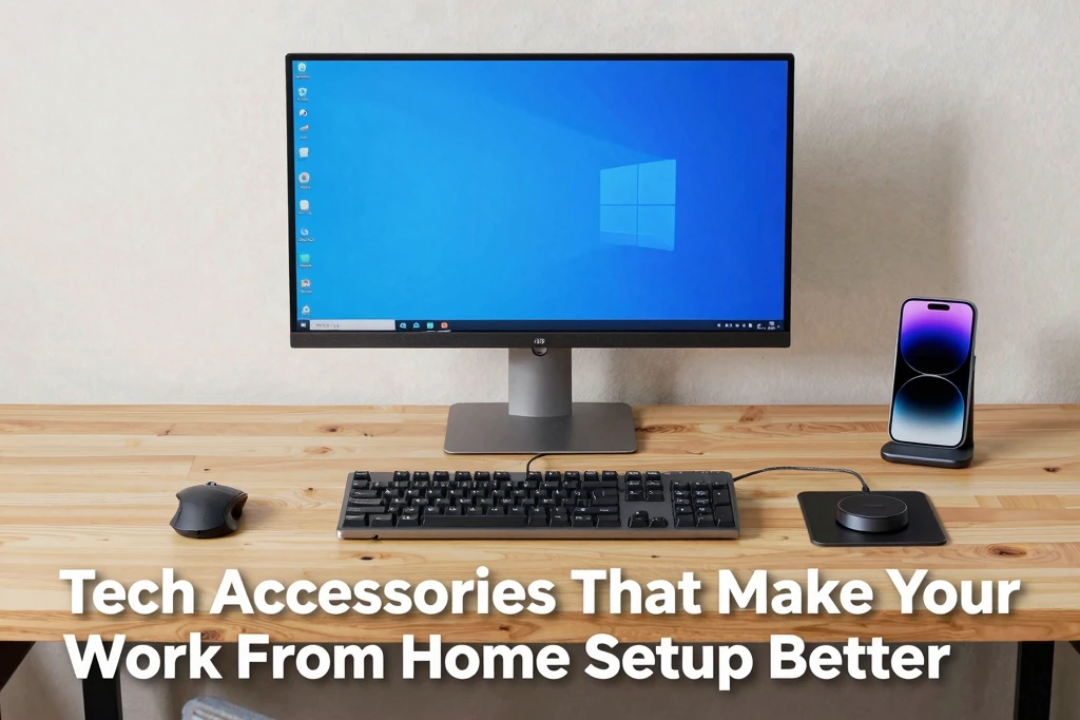
A laptop can become a desktop-style workstation with a monitor, keyboard, mouse, and docking station.
A smartphone can become a better photography tool with the right tripod, microphone, storage, or power bank.
A tablet can become a productivity device with a keyboard and stylus.
The right accessory can therefore provide more value than simply buying a newer device.
1. Fast Chargers
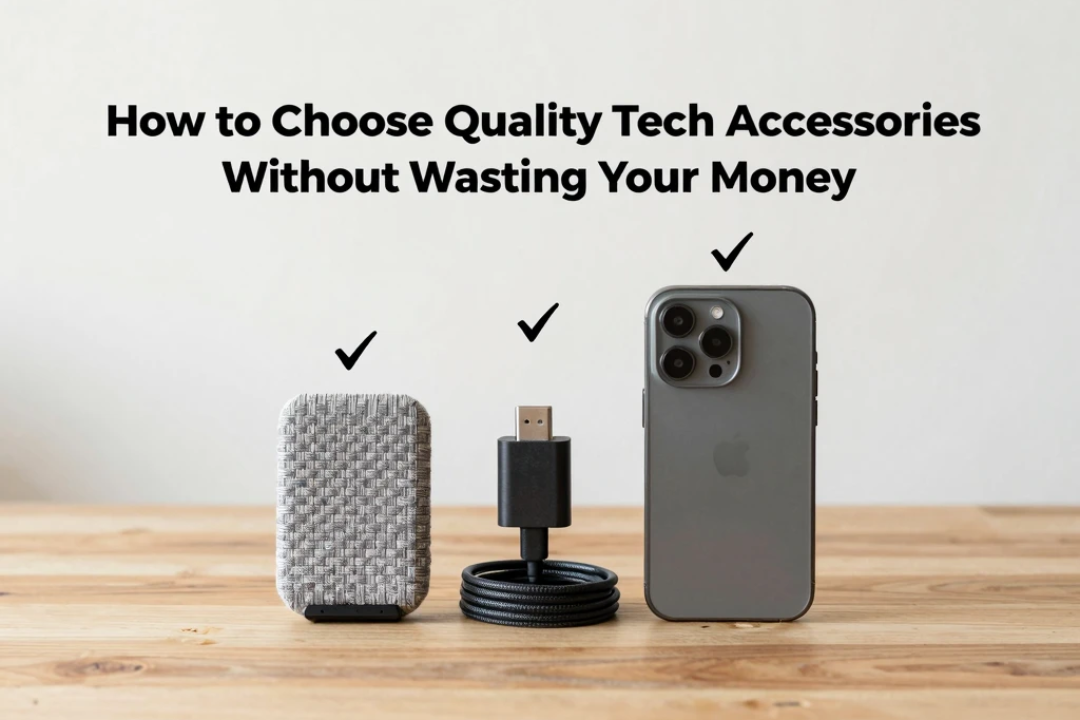
A reliable fast charger is one of the most useful accessories for almost any modern device.
Instead of waiting hours for a battery to recharge, a compatible fast charger can provide a substantial amount of power in a relatively short period.
Look for:
- Appropriate charging standards
- Sufficient power output
- Multiple ports
- Compact design
- Safety protections
- Reliable brand reputation
A multi-port charger can be particularly useful if you regularly charge a phone, earbuds, smartwatch, tablet, or laptop.
Why it’s worth it
One good charger can reduce cable clutter and make your daily charging routine much easier.
2. Multi-Port USB-C Chargers
USB-C has become increasingly common across smartphones, tablets, laptops, headphones, and other devices.
A multi-port USB-C charger can allow you to power several devices from a single charging station.
This is especially useful for people who travel or maintain multiple gadgets.
Before purchasing, check the charger’s total power output and how that power is distributed when multiple devices are connected.
A charger that provides enough power for one laptop may divide its output when several devices are charging simultaneously.
3. Power Banks
A power bank remains one of the most practical smartphone accessories.
It can be useful during:
- Travel
- Long commutes
- Outdoor activities
- Power outages
- Business trips
- University days
When choosing one, consider:
- Capacity
- Charging speed
- Size
- Weight
- Number of ports
- Cable compatibility
- Safety features
A huge power bank isn’t always the best choice.
For daily carrying, a smaller model may be more convenient.
4. Wireless Charging Accessories
Wireless charging can reduce cable clutter and make charging more convenient.
Charging stands are particularly useful because they can keep a phone visible while it charges.
They can be useful on:
- Office desks
- Bedside tables
- Kitchen counters
- Workstations
However, make sure your phone and charger support compatible wireless charging standards.
Also consider heat management, as excessive heat can affect charging efficiency and battery health.
5. High-Quality Charging Cables
Cables are easy to overlook, but they are essential.
A cheap or poorly made cable can lead to unreliable charging, slow data transfers, or connection problems.
When buying a cable, consider:
- Connector type
- Power capability
- Data-transfer capability
- Length
- Build quality
- Flexibility
Not every USB-C cable provides the same performance.
If you need a cable for a laptop or high-power device, verify that it supports the required power level.
6. Laptop Docking Stations
A docking station can transform a laptop into a more complete workstation.
With one connection, you may be able to connect:
- Monitor
- Keyboard
- Mouse
- Ethernet
- External storage
- Headphones
- Other USB accessories
This is especially useful for people who work from home or move between locations.
Instead of connecting several cables individually every time you sit down, you can connect one primary cable to the laptop.
7. External Monitors
If you spend several hours working on a laptop, an external monitor can be one of the most noticeable upgrades.
A larger display provides more space for:
- Documents
- Browsers
- Spreadsheets
- Editing software
- Video calls
- Research
- Multitasking
For productivity, screen size and resolution are important.
For gaming, refresh rate and response time may matter more.
For creative work, color accuracy can be a priority.
Choose the display according to your workload.
8. Wireless Keyboard and Mouse
A good keyboard and mouse can significantly improve the desktop experience.
Laptop keyboards are convenient, but an external keyboard can provide a more comfortable typing position.
Similarly, a dedicated mouse can be more precise and comfortable than a laptop trackpad for long sessions.
Look for:
- Comfortable design
- Reliable wireless connection
- Good battery life
- Quiet operation if needed
- Programmable buttons where useful
You don’t necessarily need an expensive professional model.
Comfort and reliability matter more than a long list of features.
9. Laptop Stand
A simple laptop stand can improve desk ergonomics.
Raising the laptop screen closer to eye level can make your workstation more comfortable.
It can also create space underneath the laptop for better airflow, depending on the design.
A good stand should be:
- Stable
- Strong enough for your laptop
- Adjustable if possible
- Easy to store
- Compatible with your laptop size
For people working from home, this is one of the simplest upgrades worth considering.
10. External SSD
If you regularly work with large files, an external SSD can be extremely useful.
It can provide additional storage for:
- Photos
- Videos
- Documents
- Games
- Backups
- Creative projects
Compared with traditional external hard drives, SSDs generally provide faster access and better portability.
Before buying, check the interface and expected transfer speeds.
Also remember that an external drive should not be your only copy of important files.
11. USB Hubs
Modern laptops often prioritize slim designs, which can mean fewer physical ports.
A USB hub can expand connectivity.
Depending on the model, you may get:
- USB-A
- USB-C
- HDMI
- Ethernet
- SD card slots
- Audio connections
This can be particularly useful for laptops with limited ports.
Choose a hub based on the devices you actually connect rather than buying the model with the most ports.
12. Smartphone Camera Accessories
Modern smartphones can already produce excellent images, but accessories can make mobile photography more versatile.
Useful options include:
- Tripods
- Smartphone grips
- External microphones
- Lighting accessories
- Gimbals
- Lens accessories
A small tripod can improve long-exposure photography, video recording, and group photos.
For content creators, a microphone can provide a much bigger improvement in video quality than simply upgrading the phone.
13. Wireless Microphones
If you record videos, interviews, presentations, tutorials, or social media content, audio quality matters.
A compact wireless microphone can provide cleaner and more consistent sound than relying entirely on a phone’s built-in microphone.
Look for:
- Reliable wireless range
- Good battery life
- Low-latency performance
- Noise handling
- Compatibility with your device
- Convenient charging
Clear audio can make a video feel significantly more professional.
14. Smartphone Tripods and Gimbals
A tripod provides stability, while a gimbal can help create smoother moving footage.
These accessories are useful for:
- Travel videos
- Product videos
- Tutorials
- Social media
- Interviews
- Photography
You don’t need a professional camera to create stable content.
A smartphone combined with a good accessory setup can be surprisingly capable.
15. Tablet Keyboards
Tablets can become much more useful for productivity when paired with a keyboard.
A keyboard can make tasks such as:
- Writing
- Research
- Document editing
- Messaging
more comfortable.
For people who travel frequently, a tablet and keyboard can sometimes be a lighter alternative to carrying a laptop.
16. Styluses and Digital Pens
A compatible stylus can turn a tablet into a useful note-taking and creative device.
Styluses can be useful for:
- Handwritten notes
- Drawing
- Digital art
- PDF annotation
- Diagrams
- Photo editing
Students and creative professionals can particularly benefit from this type of accessory.
Before purchasing, verify compatibility because not every stylus works with every tablet.
17. Smartwatch Accessories
Smartwatch users can improve their experience with simple accessories.
Popular options include:
- Replacement straps
- Charging stands
- Protective cases
- Screen protectors
A replacement strap can change the appearance and comfort of a smartwatch without replacing the watch itself.
For fitness users, breathable materials may be more comfortable during workouts.
For everyday use, a more formal strap may provide a different appearance.
18. Noise-Cancelling Headphones
Good headphones can upgrade your daily routine significantly.
Noise cancellation can be particularly useful when:
- Traveling
- Working in busy environments
- Studying
- Commuting
- Flying
When shopping, don’t focus only on noise cancellation.
Also consider:
- Sound quality
- Comfort
- Microphone quality
- Battery life
- Multipoint connectivity
- Weight
A comfortable pair that you can wear for several hours may be more useful than a technically superior but uncomfortable model.
19. Cable Management Accessories
A surprisingly simple upgrade is better cable organization.
Cable clips, sleeves, organizers, and desk trays can reduce clutter.
This is especially useful if you have:
- Multiple chargers
- External drives
- Monitors
- Gaming equipment
- Speakers
- USB hubs
A clean workspace can make technology easier to use and maintain.
20. Portable Wi-Fi and Connectivity Accessories
For people who travel or work remotely, connectivity accessories can be valuable.
Depending on your situation, useful products may include:
- Portable Wi-Fi devices
- Ethernet adapters
- USB network adapters
- Travel routers
These can help provide more reliable connectivity when working away from home.
Always check compatibility with your network and service provider before purchasing.
21. Smart Plugs and Smart Home Accessories
Smart plugs are among the simplest ways to introduce automation into a home.
They can allow compatible devices to be controlled through an app or smart-home platform.
Possible uses include:
- Lamps
- Fans
- Chargers
- Small appliances
Look for products with reliable software, security updates, and compatibility with your preferred smart-home ecosystem.
22. Device Protection Accessories
Sometimes the best upgrade is simply protecting what you already own.
Consider:
- Protective cases
- Screen protectors
- Laptop sleeves
- Camera bags
- Waterproof pouches
A relatively inexpensive case can potentially save you from a much larger repair bill.
However, avoid extremely bulky accessories if portability is important to you.
23. Portable Laptop Stands and Travel Accessories
People who work while traveling can benefit from compact accessories.
A foldable laptop stand can improve positioning without taking much space in a bag.
Compact chargers, cable organizers, portable mice, and travel adapters can also make mobile work easier.
The best travel accessories are those that provide genuine functionality without adding unnecessary weight.
How to Choose the Right Tech Accessories
Before buying an accessory, ask yourself five questions:
1. Does it solve a real problem?
Don’t buy an accessory simply because it looks interesting.
2. Is it compatible?
Check your device model and required standards.
3. Will I use it regularly?
An accessory that sits unused isn’t good value.
4. Does it improve my existing device?
The best accessory should provide a noticeable benefit.
5. Is the price reasonable?
Compare several options before buying.
Best Accessories by Device
| Device | Useful Accessories |
|---|---|
| Smartphone | Charger, power bank, case, tripod, microphone |
| Laptop | Dock, monitor, keyboard, mouse, SSD |
| Tablet | Keyboard, stylus, stand, case |
| Smartwatch | Straps, charger, screen protector |
| Gaming Device | Headset, controller, storage, charging dock |
| Camera | Tripod, microphone, storage, lighting |
| Smart Home | Smart plugs, sensors, hubs |
Don’t Buy Accessories Just Because They’re Popular
Technology accessories can be heavily promoted online.
Before purchasing, consider whether the product actually solves a problem.
For example, you might see an expensive accessory that promises to improve your smartphone experience.
But if your phone already performs everything you need, the accessory may not provide meaningful value.
Focus on usefulness rather than trends.
Final Thoughts
The best tech accessories in 2026 are not necessarily the most expensive or complicated products.
Sometimes a simple charger, power bank, laptop stand, wireless mouse, external SSD, or protective case can make a much bigger difference than an expensive gadget.
The best accessories improve the devices you already own.
Before buying, identify your biggest frustration.
Is your laptop short on ports? Get a hub or dock.
Is your phone constantly running out of power? Consider a suitable power bank.
Do you work for hours on a laptop? Improve your desk with a monitor, keyboard, mouse, and stand.
Do you create videos? A microphone and tripod may provide more value than buying a new phone.
Smart accessory shopping is ultimately about getting more from the technology you already have.
Frequently Asked Questions
What are the best tech accessories in 2026?
Useful options include fast chargers, power banks, USB-C hubs, docking stations, external SSDs, wireless keyboards and mice, laptop stands, wireless microphones, smartwatches straps, and device protection accessories.
Are tech accessories worth buying?
Yes, when they solve a genuine problem or improve your device’s usability. The best accessories can extend the usefulness of existing technology without requiring a new device.
What accessories should I buy for a laptop?
A docking station, external monitor, keyboard, mouse, laptop stand, USB hub, and external SSD can all be useful depending on your workload.
What are the most useful smartphone accessories?
A reliable charger, power bank, protective case, screen protector, tripod, wireless microphone, and compatible storage or connectivity accessories can be useful.
Is a power bank worth buying?
For people who travel, commute, work outdoors, or frequently run low on battery, a power bank can be one of the most practical smartphone accessories.
Do I need an expensive tech accessory?
Not necessarily. Look for reliable quality and compatibility rather than simply choosing the most expensive option.
Are USB-C accessories compatible with every USB-C device?
No. USB-C describes the connector shape, but capabilities can vary between devices and cables. Check supported charging, data, display, or other standards before purchasing.
How can I avoid buying unnecessary accessories?
Identify a specific problem first. If you cannot explain what the accessory will improve, you probably don’t need it.
Final Verdict
You don’t always need a new gadget to improve your technology experience.
The right tech accessories can upgrade your existing smartphone, laptop, tablet, smartwatch, gaming device, or home setup while costing far less than replacing the main device.
In 2026, focus on accessories that improve charging, productivity, connectivity, storage, comfort, protection, audio, and portability.
The smartest accessory is not the one with the longest feature list.
It’s the one you’ll actually use.