






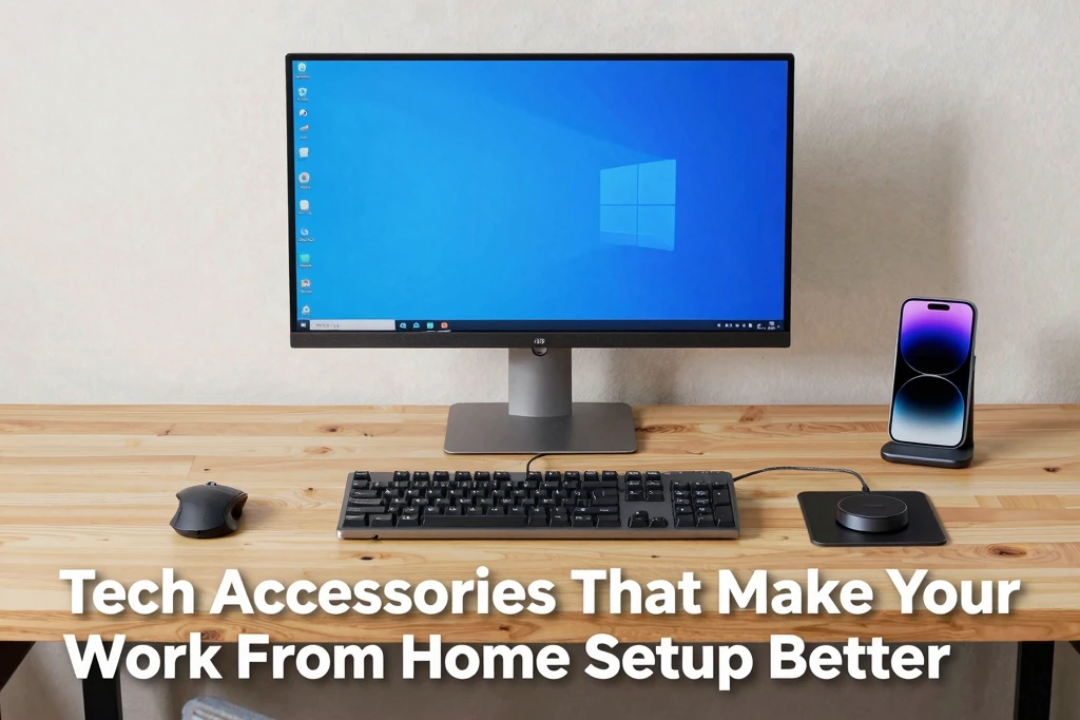
Working from home has become much easier with modern technology. A laptop and internet connection may be enough to get started, but a well-designed setup can make remote work more comfortable, organized, and productive.
The right tech accessories for work from home can improve your screen space, typing experience, audio quality, video calls, cable management, and overall desk organization. More importantly, these accessories can help turn a basic desk into a practical home office.
However, you do not need to spend a fortune building a professional workspace. The best approach is to identify the problems in your current setup and choose accessories that solve them.
Whether you work full-time from home, attend online meetings, study remotely, or run a small business, here are the tech accessories worth considering for a better work-from-home setup in 2026.
Why a Good Work From Home Setup Matters
Your workspace directly affects how comfortably you can work throughout the day.
A small laptop screen may become uncomfortable when you are working with multiple applications. A poor keyboard can make long typing sessions frustrating, while weak audio equipment can make online meetings difficult.
Simple improvements can make a noticeable difference.
A larger monitor can provide more workspace, an external keyboard can improve typing comfort, and a proper laptop stand can raise the screen to a better viewing position.
The goal is not to create a complicated workstation. It is to create an environment where your technology works for you instead of getting in your way.
1. External Monitor
An external monitor is one of the most valuable upgrades for a home office.
Laptop screens are convenient, but working for several hours with multiple windows can become difficult on a small display. A larger monitor provides additional screen space for documents, browsers, spreadsheets, communication tools, and other applications.
A monitor can be particularly useful for:
- Remote workers
- Programmers
- Designers
- Writers
- Students
- Financial professionals
- Content creators
You do not necessarily need the largest or most expensive display. A good-quality monitor with a comfortable size, suitable resolution, and useful connectivity can be enough for most office tasks.
2. Laptop Stand
If you primarily work from a laptop, a laptop stand can dramatically improve your desk setup.
Placing the laptop directly on the desk often means looking downward for long periods. A stand can raise the screen to a more comfortable viewing height.
This also creates space underneath the laptop and can improve desk organization.
For a better setup, you can combine a laptop stand with an external keyboard and mouse.
What to Look For
Choose a stand that is:
- Stable
- Strong enough for your laptop
- Adjustable if possible
- Easy to fold or move
- Designed with ventilation in mind
A portable stand is especially useful if you sometimes work from different rooms or locations.
3. External Keyboard
An external keyboard can make long typing sessions more comfortable.
Once your laptop is elevated on a stand, an external keyboard becomes even more useful because you can position it independently from the screen.
There are several types to consider:
- Membrane keyboards
- Mechanical keyboards
- Low-profile keyboards
- Ergonomic keyboards
- Wireless keyboards
Writers, programmers, students, and office workers who type frequently may notice the biggest benefit from a quality keyboard.
Do not choose a keyboard based only on appearance. Key feel, layout, noise level, and comfort matter more for everyday productivity.
4. Wireless Mouse
A wireless mouse can make navigation more comfortable than using a laptop trackpad throughout the day.
It provides more precise control for spreadsheets, photo editing, design work, browsing, and general office tasks.
When choosing a mouse, consider:
- Shape and comfort
- Sensor performance
- Battery life
- Wireless connection
- Programmable buttons
- Weight
An ergonomic mouse can be particularly useful for people who spend many hours working at a computer.
5. USB-C Docking Station
A USB-C docking station can transform a laptop into the center of a complete workstation.
Instead of connecting multiple accessories individually, a compatible dock can provide connections for monitors, USB devices, networking, storage, and other peripherals.
A docking station can be useful if your laptop has limited ports.
Depending on the model and computer, a dock may provide:
- HDMI or DisplayPort
- USB-A
- USB-C
- Ethernet
- Audio connections
- SD card slots
- Power delivery
Before purchasing one, check your laptop’s USB-C capabilities because not every USB-C port supports the same functions.
6. Quality Webcam
Video meetings are an important part of remote work.
Many laptops include built-in webcams, but an external webcam can provide better image quality, framing, and flexibility.
A good webcam can make your video calls look more professional without requiring an expensive camera setup.
Useful features may include:
- Full HD video
- Autofocus
- Automatic exposure
- Built-in microphone
- Privacy shutter
- Adjustable mounting
Good lighting can also make a bigger difference than simply buying a higher-resolution camera.
7. External Microphone
Clear audio is often more important than perfect video during online meetings.
If people frequently ask you to repeat yourself during video calls, an external microphone may be a worthwhile upgrade.
A dedicated microphone can provide clearer speech and reduce some unwanted background noise compared with basic laptop microphones.
USB microphones are generally easy to set up because they can connect directly to a computer without complicated audio equipment.
For most home-office users, a simple plug-and-play microphone is enough.
8. Noise-Cancelling Headphones
Working from home does not always mean working in complete silence.
Family members, traffic, construction, appliances, and other environmental sounds can make concentration difficult.
Noise-cancelling headphones can help create a more focused working environment.
They can also be useful during meetings because many models combine headphones with built-in microphones.
When choosing headphones, consider:
- Comfort
- Battery life
- Microphone quality
- Noise cancellation
- Bluetooth stability
- Wired connectivity
- Weight
If you wear headphones for several hours, comfort should be a major priority.
9. Desk Speakers
Not everyone likes wearing headphones all day.
Compact desktop speakers can provide a convenient alternative for music, videos, presentations, and casual calls.
For a home office, you generally do not need a large entertainment speaker system. A compact pair with clear voice reproduction can be more practical.
If you frequently attend meetings, prioritize clear speech and reliable connectivity over extremely powerful bass.
10. USB Hub
A USB hub is a simple but useful accessory if your laptop has limited ports.
Modern thin laptops often sacrifice physical ports to reduce size. A USB hub can give you additional connections for keyboards, mice, storage devices, USB drives, and other accessories.
A hub can be particularly useful for people who frequently move between a home office and another location.
11. Surge Protector or Quality Power Strip
Your home office may have several devices that need electricity.
A suitable power strip can help keep your setup organized by allowing multiple devices to connect from one location.
Look for a reputable product with appropriate electrical protection rather than choosing the cheapest option available.
You may use it for devices such as:
- Monitor
- Laptop charger
- Speakers
- Desk lamp
- Router
- Phone charger
- Docking station
Avoid overloading power strips and follow the manufacturer’s electrical ratings.
12. Wi-Fi Router or Mesh System
A productive home office depends heavily on a reliable internet connection.
If your Wi-Fi signal is weak in your workspace, even the best computer accessories will not solve the problem.
Depending on your home layout, you might benefit from a better router or a mesh Wi-Fi system.
A strong network can improve:
- Video meetings
- Cloud applications
- File transfers
- Remote desktop connections
- Online collaboration
- Streaming and downloads
Before replacing your router, check whether the problem is actually caused by internet service, router placement, interference, or coverage.
13. Portable SSD
If you regularly work with large files, a portable SSD can be a valuable accessory.
It can provide additional storage for documents, photographs, videos, project files, and backups.
SSDs generally provide faster access than traditional external hard drives, although the best option depends on your storage needs and budget.
Always maintain backups of important files rather than relying on a single external drive.
14. Cable Management Accessories
A home office can quickly become messy when multiple devices are connected.
Cable clips, sleeves, cable ties, and under-desk cable trays can make a significant difference.
Good cable management can:
- Reduce desk clutter
- Make cleaning easier
- Prevent cables from getting tangled
- Improve the appearance of your workspace
- Make accessories easier to identify
You do not need expensive cable-management products. Even simple reusable ties and clips can help.
15. USB-C Charger
If your laptop supports USB-C charging, a suitable USB-C power adapter can simplify your setup.
Some chargers can power laptops while also charging smartphones, tablets, earbuds, and other compatible devices.
A multi-port charger can reduce the number of adapters on your desk.
However, make sure the charger provides sufficient power for your laptop and supports the charging requirements of your devices.
16. Desk Lighting
Although lighting is not always considered a technology accessory, it can significantly improve a home office.
A good desk lamp can provide more comfortable lighting for reading and working.
For video calls, placing a light in front of you can also improve how your face appears on camera.
Adjustable brightness and color temperature can make a desk lamp more versatile.
17. Monitor Light Bar
A monitor light bar is another option for people who work at night or in a darker room.
It sits above the monitor and directs light toward the desk without requiring a traditional lamp to occupy valuable desk space.
This can be useful for compact workstations where every inch of desk space matters.
18. Webcam Light or Small LED Panel
If video meetings are a major part of your job, a small LED light can improve your camera image.
Instead of relying on ceiling lights or a window behind you, position the light so that your face is evenly illuminated.
This can make a basic webcam look considerably better.
Best Accessories for Different Work-From-Home Users
Not everyone needs the same setup.
| User Type | Recommended Accessories |
|---|---|
| Office Worker | Monitor, keyboard, mouse, webcam |
| Freelancer | Monitor, headphones, microphone, SSD |
| Content Creator | Monitor, microphone, webcam, lighting |
| Programmer | Large monitor, keyboard, mouse, dock |
| Student | Laptop stand, keyboard, mouse, headphones |
| Video Meeting Heavy User | Webcam, microphone, headphones, light |
| Remote Business Owner | Monitor, dock, webcam, backup storage |
The best setup depends on what you actually do during the day.
How to Build a Work From Home Setup on a Budget
You do not need to buy everything at once.
Start with the accessories that solve your biggest problems.
If your laptop screen feels too small, buy a monitor first. If typing is uncomfortable, consider an external keyboard. If meetings are difficult, upgrade your microphone or webcam.
A sensible upgrade order could be:
- Laptop stand
- External keyboard and mouse
- Monitor
- Webcam and microphone
- Headphones
- USB-C dock
- Storage and cable management
This approach spreads the cost and allows you to improve your setup gradually.
Common Work From Home Accessory Mistakes
One common mistake is buying expensive equipment without identifying an actual problem.
Other mistakes include:
- Buying a monitor that does not match your laptop’s ports
- Ignoring cable management
- Choosing uncomfortable headphones
- Buying a dock without checking compatibility
- Using poor-quality chargers
- Spending too much on accessories you rarely use
- Ignoring backup storage
- Creating a desk full of unnecessary gadgets
A good home office should be practical rather than complicated.
Final Thoughts
The best tech accessories for work from home are the ones that improve productivity, comfort, organization, and communication.
An external monitor can provide valuable screen space, while a laptop stand can improve your workstation layout. A comfortable keyboard and mouse can make everyday tasks easier, and a good webcam and microphone can improve online meetings.
You do not need a premium setup to work effectively from home. Start with the accessories that solve your biggest problems and upgrade gradually as your needs change.
The most important thing is to build a workspace that fits your workflow. When your technology is organized and comfortable to use, even a simple home office can become a highly productive working environment.
Frequently Asked Questions
What are the most useful work-from-home accessories?
A monitor, laptop stand, external keyboard, mouse, webcam, headphones, and USB-C dock are among the most useful accessories for many remote workers.
Is an external monitor worth it for working from home?
Yes. An external monitor can provide more screen space and make multitasking easier, particularly when working with documents, spreadsheets, browsers, and communication apps.
Do I need a docking station for my laptop?
Not necessarily. A docking station is most useful when you have several peripherals or monitors and want to connect them through a single setup.
What is the best accessory for video meetings?
A combination of a good webcam, clear microphone, and suitable lighting can significantly improve video meetings.
Are wireless accessories better for a home office?
Wireless keyboards, mice, and headphones can reduce cable clutter and provide flexibility. However, wired accessories can sometimes offer simpler connectivity and eliminate battery concerns.
How can I improve my home office without spending too much?
Start with inexpensive improvements such as a laptop stand, keyboard, mouse, cable-management accessories, and better lighting. Add more expensive equipment such as monitors and docking stations when you actually need them.