







Buying a new gadget can be exciting. Whether you are shopping for a smartphone, laptop, smartwatch, tablet, headphones, camera, or another technology product, there are thousands of options available.
But with so many choices, it is also easy to make an expensive mistake.
A gadget may look impressive in advertisements and still fail to meet your everyday needs. A product with the highest specifications may not necessarily be the best option, while a cheaper model may provide everything you actually need.
The key is to shop based on your requirements rather than marketing hype.
Before spending your money, it is worth understanding the most common gadget buying mistakes and learning how to avoid them.
1. Buying a Gadget Without Knowing Your Needs
One of the biggest mistakes is buying a gadget before deciding what you actually need it for.
Ask yourself:
- What will I use it for?
- How often will I use it?
- Do I need portability?
- Which features are essential?
- Which features are optional?
- How long do I expect to keep the device?
For example, someone who only needs a laptop for browsing and documents may not need an expensive gaming laptop.
Similarly, a casual smartphone user may not need the most powerful processor or professional-level camera system.
Start with your needs, then look for a product.
2. Choosing Specifications Instead of Real-World Performance
Specifications are useful, but they do not tell the whole story.
A smartphone with more megapixels does not automatically have the best camera.
A laptop with more RAM does not automatically have better performance.
A display with a higher resolution is not necessarily better in every situation.
When comparing gadgets, look at how the specifications translate into everyday performance.
Consider:
- Speed
- Reliability
- Battery life
- Software optimization
- Heat management
- Comfort
- Ease of use
- Long-term support
The best product is usually the one that provides the right combination of features rather than simply the biggest numbers.
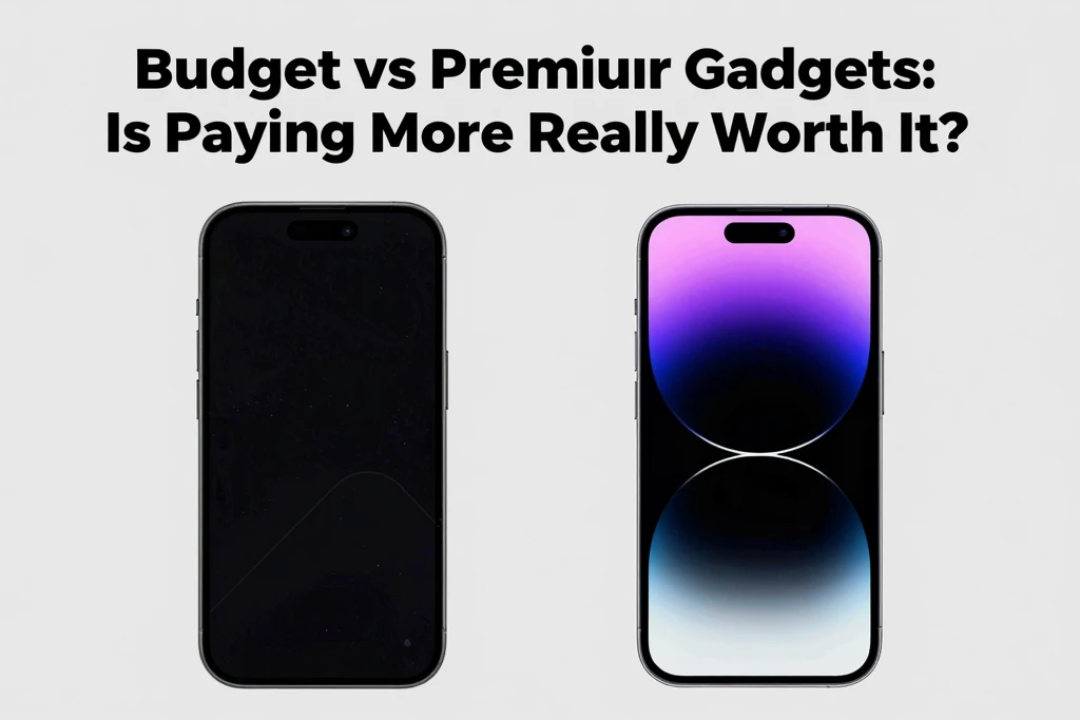
3. Buying the Most Expensive Model
Another common mistake is assuming that expensive automatically means better.
Premium gadgets often provide additional features, better materials, or stronger performance, but those improvements may not matter to every buyer.
For example, a professional creator may benefit from a high-end laptop, while a student who mainly writes assignments and browses the web may not.
Before paying extra, ask:
Will I actually use the additional features?
If the answer is no, a less expensive model may provide better value.
4. Ignoring the Total Cost
The purchase price is not always the final cost.
Some gadgets require additional accessories or services.
You may need:
- Protective cases
- Chargers
- Storage
- Memory cards
- Docking stations
- Styluses
- Replacement batteries
- Subscription services
- Premium software
A gadget that looks affordable initially can become significantly more expensive after adding everything you need.
Before buying, calculate the approximate total cost.
5. Trusting Advertisements Too Much
Advertising is designed to make a product look attractive.
Manufacturers naturally highlight the strongest features while giving less attention to limitations.
Marketing terms such as “revolutionary,” “professional,” “AI-powered,” or “next-generation” do not automatically mean the product is right for you.
Instead of relying solely on advertising, look for independent information and real-world reviews.
A good review should explain both the advantages and disadvantages of a product.
6. Reading Only Positive Reviews
Reading reviews is smart, but reading only five-star reviews can give you an incomplete picture.
Look for balanced reviews that mention both strengths and weaknesses.
Pay attention to repeated complaints.
If many users mention the same problem, it deserves attention.
However, also consider whether those complaints apply to your particular use case.
One person’s biggest problem may be irrelevant to another buyer.
7. Ignoring Compatibility
Compatibility is one of the most overlooked factors when buying technology.
Before purchasing a gadget, check whether it works with your existing devices and software.
For example:
- Does the smartwatch work with your smartphone?
- Does the printer support your computer?
- Does the laptop run the software you need?
- Does the accessory use a compatible port?
- Does the storage device work with your operating system?
- Does the smart-home device support your preferred ecosystem?
A product can be excellent on its own and still be a poor purchase if it does not work properly with your existing setup.
8. Forgetting About Battery Life
Battery life is especially important for portable gadgets.
Manufacturers may advertise battery estimates under specific conditions, but real-world usage can be different.
Consider how you will actually use the product.
Heavy gaming, video editing, GPS, high screen brightness, video calls, and mobile connectivity can all affect battery consumption.
If you frequently travel or work away from a power outlet, prioritize reliable battery life over features you rarely use.
9. Buying Based on Trends
Technology trends can be tempting.
A new AI feature, foldable display, unusual camera system, or futuristic design may attract attention.
But new does not always mean necessary.
Before buying a trendy product, ask:
Does this feature solve a problem for me?
If you cannot identify a practical benefit, you may be paying extra for something you will rarely use.
Technology should make your life easier, not simply make your device look newer.
10. Ignoring Software Support
Hardware is only part of a gadget’s lifespan.
Software updates can provide:
- Security improvements
- Bug fixes
- New features
- Compatibility improvements
- Performance improvements
Before buying an expensive gadget, find out how the manufacturer handles software support.
A device that receives regular updates can remain useful for longer.
This is particularly important for smartphones, tablets, laptops, smartwatches, and other connected devices.
11. Not Checking Storage Requirements
Storage can become a problem faster than expected.
Photos, videos, games, applications, documents, and offline content can consume large amounts of storage.
Think about your usage before choosing a storage configuration.
For example:
Basic user
Lower storage may be enough for documents, browsing, and light applications.
Everyday user
Moderate storage provides more flexibility for photos, apps, and media.
Creator or gamer
Larger storage may be useful for large video files, games, projects, and professional applications.
Do not buy the smallest storage option simply because it is cheaper if you know you will quickly run out of space.
12. Ignoring RAM and Performance Requirements
The right amount of memory depends on what you do.
A basic user may have different requirements from someone editing video, developing software, gaming, or running multiple applications.
When comparing laptops and other computers, consider your actual workload rather than choosing the highest specification automatically.
Balanced hardware is usually better than spending heavily on one component while ignoring everything else.
13. Buying Without Checking the Warranty
A warranty can become extremely important when something goes wrong.
Before buying, check:
- Warranty duration
- What is covered
- What is excluded
- Repair procedure
- Replacement policy
- Authorized service options
For expensive gadgets, warranty support can have a major effect on the overall value of the purchase.
14. Ignoring Repair and Replacement Costs
Some gadgets can be expensive to repair.
Before buying, consider whether common components such as batteries, screens, chargers, or other parts are replaceable and reasonably available.
A cheaper gadget that is difficult to repair may not always be the cheapest option in the long run.
Durability and repairability can be just as important as initial price.
15. Buying From an Untrusted Seller
Price is important, but seller reputation matters too.
An unusually low price can sometimes indicate:
- Used hardware
- Refurbished products
- Imported variants
- Missing accessories
- Limited warranty
- Counterfeit products
- Incorrect specifications
Always verify the seller, product condition, warranty, and return policy before paying.
If the deal looks dramatically better than every other seller, investigate why.
16. Forgetting About Accessories
Some products do not include everything you might expect.
Depending on the gadget, you may need to purchase:
- Charger
- Cable
- Case
- Adapter
- Stylus
- Keyboard
- Mount
- Memory card
Check the box contents before buying so there are no surprises.
17. Buying the Wrong Size
Physical size matters more than many buyers realize.
A larger laptop may provide a better screen and keyboard but can be heavier to carry.
A larger smartphone may provide a better viewing experience but can be less comfortable to use with one hand.
A larger smartwatch may offer a bigger display but may not be comfortable on every wrist.
Think about where and how you will use the gadget.
18. Ignoring Ergonomics and Comfort
Technology is something you may use for hours every day.
Comfort should therefore be part of your buying decision.
For laptops, consider:
- Keyboard
- Trackpad
- Weight
- Screen position
- Hinge
- Wrist comfort
For headphones:
- Ear cup comfort
- Clamping pressure
- Weight
- Fit
For smartphones:
- Grip
- Weight
- Button placement
- One-handed usability
A technically excellent gadget can still be a poor choice if you dislike using it.
19. Choosing Features You Will Never Use
More features can sound better, but unnecessary features can increase cost and complexity.
Before paying extra, separate features into three categories:
Must-have
Features you cannot live without.
Nice-to-have
Features that improve the experience but are not essential.
Unnecessary
Features you probably will not use.
This simple method can help prevent overspending.
20. Buying Without Comparing Alternatives
Never assume the first product you find is the best option.
Create a shortlist of at least a few alternatives.
Compare:
| Category | Product A | Product B | Product C |
|---|---|---|---|
| Price | |||
| Performance | |||
| Battery | |||
| Display | |||
| Camera/Audio | |||
| Software | |||
| Build Quality | |||
| Warranty | |||
| Value |
You do not need to choose the product with the highest score in every category.
Instead, identify which product best matches your priorities.
21. Buying at the Wrong Time
Technology prices can change.
New product launches can also affect the price of older models.
If you do not urgently need a gadget, it can sometimes be useful to monitor prices and compare different sellers before purchasing.
However, waiting forever for a perfect deal is not necessary.
If your current device is failing or preventing you from working, the value of having a reliable replacement may be more important than saving a small amount.
22. Ignoring Long-Term Value
Think beyond the first few weeks.
Ask:
- Will the device still meet my needs in two years?
- Will it receive software updates?
- Is the battery replaceable?
- Can storage be expanded?
- Is the performance sufficient for future applications?
- Is the manufacturer reliable?
A slightly more capable device may be better value if it remains useful for longer.
23. Letting Other People’s Opinions Decide
Friends, influencers, social media creators, and online communities can provide useful information.
But your requirements may be different.
A gaming enthusiast may recommend a powerful laptop that is unnecessary for someone who only needs office applications.
A photography enthusiast may prioritize camera features that another user never uses.
Use other people’s experiences as information, not as the final decision.
A Simple Gadget Buying Checklist
Before spending your money, ask yourself:
1. What do I need this gadget for?
2. What are my essential features?
3. What is my actual budget?
4. Are there cheaper alternatives?
5. Is the product compatible with my existing devices?
6. How good is the battery life?
7. How long will it receive software updates?
8. What does the warranty cover?
9. Is the seller trustworthy?
10. Will I still be happy with this product after a year?
If you can confidently answer these questions, you are much less likely to make an impulsive purchase.
How to Get Better Value From Your Gadget Purchase
You do not always need the newest model.
Consider buying one generation older if it still provides the features you need.
Also compare the complete package rather than the headline specification.
A product with slightly lower performance but better battery life, software support, durability, and warranty may provide better long-term value.
The goal is not to buy the most advanced gadget.
The goal is to buy the right gadget at the right price.
Final Thoughts
Avoiding gadget buying mistakes is mostly about slowing down before you spend your money.
Don’t buy simply because a product is new, expensive, popular, or heavily advertised.
Instead, understand your requirements, compare specifications with real-world performance, check compatibility, investigate software support, consider battery life, read balanced reviews, verify the seller, and calculate the total cost.
Most importantly, remember that the best gadget is not necessarily the one with the most impressive specifications.
It is the one that does what you need, fits your budget, works with your existing devices, and remains useful for years.
A few minutes of research before purchasing can save you money, frustration, and the trouble of replacing a gadget that was never right for you in the first place.
Frequently Asked Questions
What is the biggest gadget buying mistake?
Buying a gadget without understanding your actual needs is one of the biggest mistakes. A product can have excellent specifications but still be unsuitable for your everyday use.
Should I always buy the latest gadget?
No. A previous-generation device can sometimes provide excellent value if it still meets your requirements and receives adequate software support.
How important are gadget reviews before buying?
Reviews can provide valuable real-world information about performance, battery life, comfort, software, and limitations. Look for balanced reviews rather than relying only on promotional content.
Is a more expensive gadget always better?
No. Expensive products may offer additional features and premium materials, but those benefits may not be important to every user.
What should I check before buying a smartphone?
Consider performance, camera quality, battery life, display, software support, storage, connectivity, build quality, warranty, and compatibility with your needs.
What should I check before buying a laptop?
Pay attention to the processor, RAM, storage, display, battery life, keyboard, ports, weight, operating system, software compatibility, and build quality.
How can I avoid buying unnecessary features?
Separate features into must-have, nice-to-have, and unnecessary categories. Only pay extra when a feature provides a real benefit for your usage.
Should I compare multiple gadgets before buying?
Yes. Comparing several alternatives can help you understand pricing, features, weaknesses, and overall value.
Is buying from a cheaper seller always better?
No. An unusually low price may come with limited warranty, used hardware, missing accessories, or other risks. Verify the seller and product condition before purchasing.
Final Verdict
The smartest gadget buyers are not necessarily the people who know every technical specification.
They are the people who know which specifications actually matter to them.
Define your needs, set a realistic budget, compare alternatives, check compatibility and support, read balanced reviews, and think about long-term value.
Do that before clicking the Buy button, and you will have a much better chance of spending your money on a gadget you will actually enjoy using.