






Technology has become an important part of our everyday lives. From checking emails and attending online meetings to watching movies, traveling, and staying connected with family, we rely on our devices for countless activities. However, having a smartphone, laptop, or tablet is only part of the picture. The right tech accessories can make these devices easier to use, more comfortable to carry, and more useful throughout the day.
You do not need to spend a lot of money on the latest gadgets to enjoy these benefits. Sometimes, a simple accessory can solve a common problem, such as a low phone battery, tangled cables, uncomfortable headphones, or a cluttered desk.
Whether you work from home, travel frequently, study, or simply enjoy using technology, there are plenty of accessories worth considering. In this article, we will explore some must-have tech accessories that can make everyday life more convenient and help you get more out of the devices you already own.
1. A Reliable Power Bank for Life on the Go
Few things are more frustrating than seeing your phone battery drop to a few percent when you are away from home. Whether you are navigating an unfamiliar city, taking photos, answering work messages, or using your phone for payments, a dead battery can quickly become a problem.
A power bank offers a simple solution. It allows you to recharge your smartphone, wireless earbuds, and other compatible devices without needing to find a wall outlet.
For everyday use, a compact power bank with enough capacity to recharge your phone at least once may be sufficient. If you travel frequently or use several devices, a higher-capacity model may be more practical.
Before purchasing one, check its charging speed, capacity, weight, and compatibility with your devices. USB-C charging is especially useful for people who own newer phones, tablets, or laptops that support it.
A power bank is one of those accessories you may not think about very often until you need it. Keeping one in your backpack, handbag, or travel bag can provide extra peace of mind.
2. Wireless Earbuds for Work, Travel, and Entertainment
Wireless earbuds have become popular because they are lightweight, easy to carry, and convenient for everyday activities. They allow you to listen to music, take calls, attend virtual meetings, and enjoy podcasts without dealing with tangled cables.
For commuters, wireless earbuds can make long journeys more enjoyable. For professionals, they can provide a practical way to participate in online meetings while moving around the house or office.
Some models offer active noise cancellation, which reduces certain background sounds and can help you concentrate in busy environments. Others include transparency modes that let outside sounds pass through when you need to remain aware of your surroundings.
When choosing earbuds, consider comfort, battery life, microphone quality, water resistance, and compatibility with your devices. Expensive models are not always necessary, particularly if you mainly use them for casual listening and phone calls.
Remember to keep the volume at a safe level, especially when listening for extended periods or walking near traffic.
3. A Multi-Port USB-C Charger to Reduce Cable Clutter
Most people use several electronic devices every day, and keeping all of them charged can become inconvenient. A multi-port charger can simplify this process by allowing you to charge multiple compatible devices from a single wall outlet.
Instead of carrying separate chargers for your phone, tablet, earbuds, and other gadgets, you can use one compact charging adapter with several ports.
Some modern chargers use GaN technology, which can provide high charging power in a relatively small design. This can be particularly useful for people who travel regularly or want to keep their desk organized.
However, not every multi-port charger delivers the same amount of power to every connected device. Check the total wattage, the output available from individual ports, and the charging requirements of your electronics before buying one.
It is also important to choose a reputable charger that meets applicable safety standards. A good charger can reduce clutter, simplify packing, and make charging several devices much easier.
4. A Laptop Stand for a More Comfortable Workspace
If you spend hours working on a laptop, you may find yourself leaning forward or looking down at the screen. Over time, this position can become uncomfortable, especially when you work for long periods.
A laptop stand can raise your screen closer to eye level and help you create a more comfortable workspace. It is particularly useful for people who work from home, study online, or regularly attend video meetings.
Some stands are adjustable, allowing you to change the screen height and viewing angle. Foldable versions are also available for people who move between different workspaces.
For a more complete setup, consider pairing your stand with an external keyboard and mouse. This allows you to position the screen separately from your hands, making it easier to arrange your workstation around your needs.
A laptop stand will not automatically fix every posture problem, but it can be a useful part of a more ergonomic setup. Taking regular breaks and adjusting your chair and desk height are equally important.
5. A Bluetooth Tracker to Help You Find Lost Items
Misplacing your keys, wallet, or bag can turn an ordinary morning into a stressful experience. Bluetooth trackers are small devices designed to help you locate everyday belongings through a compatible smartphone.
Depending on the product, you can attach a tracker to your keys, place it inside a bag, or keep it in a wallet. If an item goes missing nearby, a compatible app may help you locate it or make the tracker play a sound.
Some trackers also work with larger networks of compatible devices, which can help you locate an item that is farther away. The exact capabilities depend on the tracker and its ecosystem.
Before buying one, check whether it works with your phone, whether it requires a subscription, and how its battery is replaced or recharged.
Bluetooth trackers are not perfect, and their performance depends on the technology and circumstances involved. They should not be treated as guaranteed real-time GPS tracking devices.
Still, for people who frequently misplace everyday items, a small tracker can save time and reduce unnecessary frustration.
6. A Smartwatch or Fitness Tracker for Everyday Organization
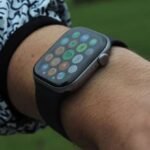
Smartwatches and fitness trackers offer more than just the ability to check the time. Depending on the model, they can display notifications, track physical activity, monitor sleep patterns, set reminders, and provide quick access to useful smartphone functions.
For busy professionals, a smartwatch can make it easier to check an incoming notification without repeatedly reaching for a phone. Fitness features can also encourage users to move regularly throughout the day.
Some devices offer GPS, contactless payment support, music controls, and safety features, although availability varies by model and region.
If you are considering buying one, think about what you will actually use. Someone interested in basic activity tracking may not need an expensive smartwatch with advanced features.
Battery life, comfort, phone compatibility, and the cost of any required subscription are also worth considering.
A wearable device can be a helpful reminder to stay active and organized, but its measurements should not be treated as a substitute for professional medical advice.
7. A Wireless Charging Pad for Easier Charging
Plugging in a phone every day is a small task, but wireless charging can make the process more convenient. With a compatible phone and charging pad, you can simply place your device on the charging surface instead of connecting a cable each time.
This can be especially useful on a bedside table, office desk, or kitchen counter where you regularly leave your phone.
Some wireless chargers can also charge compatible earbuds or other devices, while certain multi-device models support charging several products in one place.
Before purchasing a wireless charger, check your device’s supported charging standard, maximum charging speed, and compatibility requirements. Wireless charging can also generate more heat and may be slower than some wired charging options.
A charging pad is not essential for everyone, but it can be a worthwhile convenience if you frequently charge your phone in the same location.
8. A Portable SSD for Backups and Extra Storage
Photos, videos, documents, and work files can quickly consume the storage space available on a laptop or smartphone. A portable solid-state drive (SSD) provides an easy way to store large files and move them between compatible devices.
Portable SSDs are particularly useful for photographers, students, content creators, and professionals who work with large amounts of data.
For example, you can keep a backup of important documents, transfer video files between computers, or store old photos without filling up your laptop’s internal storage.
SSDs generally offer faster access speeds than traditional external hard drives and have no moving mechanical parts. However, performance varies by model, connection type, and device compatibility.
Consider the storage capacity, transfer speed, physical size, and durability when choosing one. You should also maintain a separate backup of important files rather than relying on a single external drive.
For people who handle valuable work or personal memories, a portable SSD can be a practical investment in both convenience and data management.
9. A Cable Organizer to Keep Your Desk Tidy
A messy desk can make it harder to find the cable or accessory you need. Charging wires, USB cables, headphones, and adapters can easily become tangled, particularly when several devices share the same workspace.
Cable organizers offer a simple and inexpensive way to manage this clutter. Options include cable clips, reusable ties, desk cable trays, and small storage pouches for travel.
At home or in the office, cable clips can keep frequently used charging cables within reach. When traveling, a compact organizer can help you store chargers, adapters, memory cards, and other small accessories in one place.
You do not need an elaborate cable-management system to see the benefits. Even separating your most frequently used cables from those you rarely need can make your workspace feel more organized.
This is a small upgrade, but it can save time and make everyday technology easier to manage.
10. A Bluetooth Keyboard and Mouse for Better Productivity
Laptops are convenient because they are portable, but their built-in keyboards and trackpads are not always ideal for extended work sessions.
A wireless keyboard and mouse can help create a more comfortable and flexible workspace. They are particularly useful for people who spend much of the day writing, working with spreadsheets, browsing the internet, or managing documents.
A Bluetooth keyboard can also work with compatible tablets and some smartphones, making it easier to type longer messages or documents without relying on a touchscreen.
When choosing a keyboard, consider its size, key layout, battery life, and typing comfort. For a mouse, look at its shape, responsiveness, and whether it suits your preferred grip.
You do not necessarily need a premium productivity setup. A reliable, comfortable keyboard and mouse can make a noticeable difference in your daily workflow without requiring a major expense.
11. A Webcam and Desk Light for Better Video Calls
Remote work and online meetings have made video communication a regular part of many people’s lives. However, poor lighting and unclear video can make calls less comfortable and professional.
An external webcam can be useful if your laptop’s built-in camera provides limited image quality or if you want greater flexibility in positioning the camera.
A desk light or compact video light can also improve how you appear on camera, especially when your workspace has weak or uneven lighting.
Before purchasing a separate webcam, test your existing camera in different lighting conditions. Sometimes, simply facing a window or adjusting the position of a desk lamp can improve the image significantly.
If you attend frequent client meetings, teach online, or record video content, these accessories may be worth considering. For occasional calls with friends and family, your existing equipment may be perfectly adequate.
The goal is to improve communication without spending money on equipment you do not really need.
12. A Universal Travel Adapter for International Trips
Traveling internationally often means dealing with different plug shapes, socket types, and charging requirements. A universal travel adapter can make it easier to connect compatible electronics in different countries.
Many models support several plug configurations and include USB-A or USB-C ports, allowing travelers to charge multiple devices from a single adapter.
This can be especially useful if you regularly travel with a smartphone, laptop, tablet, camera, and wireless earbuds.
However, it is important to understand the difference between an adapter and a voltage converter. An adapter changes the plug connection, but it does not necessarily convert the electrical voltage.
Check the voltage requirements of your devices and make sure the adapter is appropriate for your destination. Also verify its power rating and safety certifications before use.
A compact travel adapter can reduce the number of chargers you need to pack, but choosing the right one requires a little preparation.
How to Choose the Right Tech Accessories for Your Needs
With so many accessories available, it is easy to spend money on products that seem useful but rarely get used. The best approach is to start with the problems you experience most often.
If your phone battery frequently runs low, a power bank may be your first priority. If you work on a laptop for several hours each day, a stand, keyboard, and mouse may provide more value. If you travel regularly, a multi-port charger and cable organizer may be more practical.
Before making a purchase, consider these factors:
- Compatibility: Make sure the accessory works with your existing devices.
- Quality: Look for reliable products from reputable manufacturers.
- Portability: Consider how easy the accessory is to carry and store.
- Battery life: For wireless devices, check how often they need charging.
- Safety: Choose chargers and electrical accessories that meet relevant safety requirements.
- Budget: Decide how much you are willing to spend and compare features before buying.
- Actual usefulness: Ask yourself whether the accessory solves a problem you experience regularly.
It is also worth checking warranty terms and return policies, particularly for more expensive electronics.
A thoughtful purchase can improve your everyday routine, while buying accessories simply because they are trending may add clutter without providing much benefit.
Conclusion
The right tech accessories can make everyday life simpler, more organized, and more comfortable. From power banks and wireless earbuds to laptop stands, Bluetooth trackers, portable SSDs, and charging accessories, small additions can improve how you use your existing devices.
However, you do not need every accessory on this list. What matters most is choosing products that fit your lifestyle, support your daily activities, and solve genuine problems.
Start with one or two accessories that would make the biggest difference to your routine. Pay attention to compatibility, quality, safety, and long-term usefulness rather than focusing only on price or popularity.
Technology should make life easier, not more complicated. By choosing the right accessories, you can reduce everyday frustrations, stay better organized, and get more value from the devices you already own.