







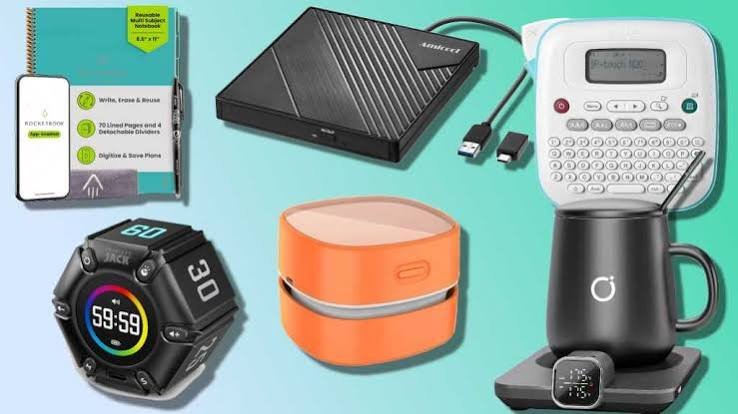
Technology has become an essential part of everyday life, whether you use it for work, studying, entertainment, travel, or staying connected with friends and family. However, getting the most out of your devices does not always mean buying expensive gadgets or upgrading to the latest technology. Sometimes, a few affordable accessories can make a noticeable difference in how you use your existing devices.
From portable chargers and wireless earbuds to laptop stands and cable organizers, there are plenty of budget-friendly tech accessories that offer practical benefits without putting too much pressure on your wallet.
If you want to improve your everyday tech setup without overspending, here are some useful tech accessories worth buying on a budget.
1. Fast-Charging Cables
A good charging cable is one of the simplest yet most useful tech accessories you can own. Whether you charge your smartphone, tablet, wireless headphones, or other compatible devices, having a reliable cable can make everyday charging more convenient.
Instead of repeatedly replacing cheap cables that fray or stop working, consider investing in a reasonably priced cable with durable connectors and reinforced construction. USB-C cables are particularly useful because many modern phones, tablets, laptops, and accessories use this connection.
Before buying, check whether the cable supports your device’s charging requirements. A cable may fit your device without supporting its maximum charging speed or data-transfer capabilities.
Why it is worth buying: A reliable charging cable is inexpensive, easy to carry, and useful every day. Keeping a spare in your bag or at your workplace can also save you from dealing with a low battery when you are away from home.
2. Portable Power Banks
Running out of battery while traveling, commuting, or spending a long day outside can be frustrating. A portable power bank provides an easy way to recharge compatible devices when a wall outlet is unavailable.
You do not necessarily need a premium model. An affordable power bank with a capacity of around 10,000mAh can be a practical choice for many smartphone users. Larger capacities may be useful for longer trips or charging multiple devices, although they add weight and take up more space.
Look for features such as USB-C charging, clear battery indicators, built-in safety protections, and sufficient output for your phone. If you travel frequently, consider the power bank’s dimensions and airline restrictions before purchasing it.
Why it is worth buying: A power bank offers extra battery life when you need it most, making it particularly useful for commuters, students, travelers, and people who spend considerable time away from home.
3. Budget-Friendly Wireless Earbuds
Wireless earbuds are convenient for listening to music, watching videos, making phone calls, and joining online meetings. Although premium models can be expensive, many budget-friendly options provide good everyday performance.
When comparing affordable earbuds, pay attention to sound quality, microphone clarity, comfort, battery life, and Bluetooth connectivity. Some models also offer touch controls, water resistance, or basic noise cancellation.
However, do not assume that every inexpensive pair delivers the same experience as a premium product. Active noise cancellation, call quality, and battery performance can vary considerably between models.
If you primarily listen to podcasts, attend online classes, or take occasional calls, a basic pair may be more than enough.
Why it is worth buying: Wireless earbuds reduce cable clutter and make it easier to enjoy audio while commuting, exercising, or completing everyday tasks.
4. Adjustable Phone Stands
A phone stand is a small accessory that can make a surprisingly big difference to your daily routine. It holds your phone upright, allowing you to watch videos, follow recipes, read messages, or participate in video calls without constantly holding the device.
Many affordable stands feature adjustable angles, foldable designs, and compact construction. Some are suitable for a desk, while others are designed for travel.
Before purchasing one, check whether it can support your phone’s size and weight. If you use a thick phone case, make sure the stand can accommodate it.
A stand with a stable base and nonslip padding is generally more practical than an extremely lightweight model that slides around whenever you tap the screen.
Why it is worth buying: A phone stand improves convenience, keeps your hands free, and helps create a more organized workspace without requiring a significant investment.
5. Laptop Stands
If you regularly work or study on a laptop, a laptop stand may be a useful addition to your desk. Raising the screen can help you position it at a more comfortable viewing height, particularly when paired with an external keyboard and mouse.
You do not need an expensive adjustable workstation to enjoy the benefits. Many affordable stands provide sufficient elevation and stability for everyday use.
Look for a design that supports your laptop’s dimensions, provides adequate ventilation, and stays firmly in place during typing. Foldable models are particularly convenient if you frequently move between home, school, and the office.
Keep in mind that a laptop stand alone does not guarantee better posture. Your screen height, chair, desk, keyboard position, and regular movement also matter.
Why it is worth buying: A laptop stand can improve desk organization and make it easier to create a more comfortable work environment, especially for people who spend several hours a day at a computer.
6. USB Hubs and Multiport Adapters
Modern laptops often have fewer physical ports than older computers. If you regularly connect a mouse, keyboard, flash drive, external storage device, or monitor, you may find yourself constantly switching accessories.
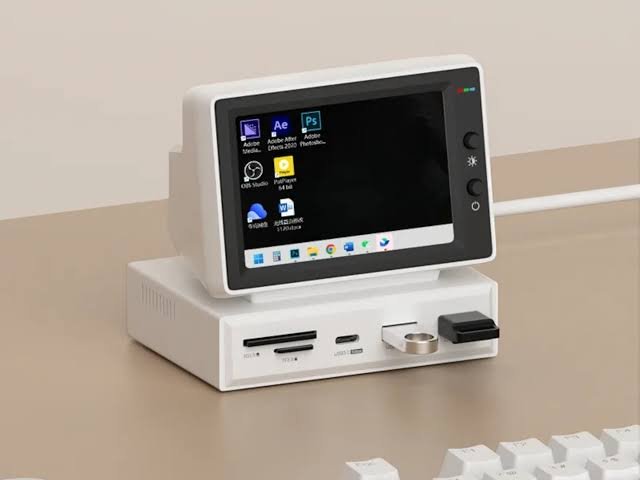
A USB hub can solve this problem by allowing multiple compatible devices to connect through a single port. Some hubs provide additional USB-A ports, while others include USB-C, HDMI, memory-card readers, or Ethernet connections.
For basic use, an inexpensive USB hub may be sufficient. However, if you intend to connect a high-resolution monitor, charge a laptop, or transfer large files, check the supported specifications carefully.
Not every USB-C port supports video output or laptop charging, and not every hub supports the same data-transfer speeds. Choose one that matches your device and intended use.
Why it is worth buying: A USB hub adds flexibility to your existing computer setup and can be more affordable than replacing a laptop simply because it lacks enough ports.
7. Wireless Mice
A wireless mouse is a practical accessory for anyone who uses a laptop or desktop computer regularly. It provides more freedom of movement than a built-in trackpad and can make tasks such as editing documents, managing spreadsheets, browsing websites, and working with creative applications more convenient.
Budget-friendly wireless mice are available in several shapes and sizes. Some connect through a USB receiver, while others use Bluetooth. Models with adjustable sensitivity, quiet buttons, or ergonomic shapes may be worth considering depending on your needs.
If you travel frequently, choose a compact mouse that fits easily into your laptop bag. For long working sessions, prioritize comfort over decorative features.
Also consider the power source. Rechargeable models eliminate disposable batteries, while battery-powered options can offer long usage between replacements.
Why it is worth buying: A wireless mouse is relatively inexpensive and can improve everyday computer use without requiring any major changes to your setup.
8. Cable Organizers and Desk Accessories
Charging cables, adapters, headphones, and USB accessories can quickly make a desk look cluttered. Fortunately, organizing them does not require expensive furniture or complicated storage systems.
Cable clips, reusable cable ties, cable sleeves, and small desk organizers can help keep everything in its proper place. You can also use labeled pouches to separate charging accessories when traveling.
When choosing cable-management products, consider the layout of your desk and the number of devices you use. Reusable ties are especially helpful if you frequently change your setup, while adhesive clips can keep regularly used cables within reach.
Avoid bending cables sharply or placing heavy objects on them, as this can damage their insulation and internal wiring.
Why it is worth buying: Cable organizers are inexpensive, easy to use, and help create a tidier workspace. They can also make it easier to find the cable you need instead of untangling a pile of accessories.
9. Bluetooth Trackers for Everyday Items
Misplacing keys, bags, or luggage can waste time and cause unnecessary stress. Bluetooth trackers are small devices designed to help you locate belongings through a compatible smartphone app.
Depending on the product, a tracker may use Bluetooth to help locate nearby items or participate in a wider device-finding network that can assist when an item is farther away.
Before buying one, check compatibility with your phone. Some trackers work best with Apple devices, while others are designed for Android or support multiple platforms. Features, tracking networks, subscription requirements, and out-of-range alerts also vary.
A tracker can be particularly useful for frequently misplaced keys, backpacks, and luggage. However, it should not be treated as a guaranteed way to recover stolen property.
Why it is worth buying: A reasonably priced tracker can save time and make everyday organization easier, especially if you often misplace important belongings.
10. Screen-Cleaning Kits
Smartphone screens, laptop displays, tablets, and monitors collect fingerprints, dust, and smudges through everyday use. A basic screen-cleaning kit can help keep these devices looking clean.
Most kits include a microfiber cloth and a cleaning solution intended for electronic displays. Some only require a dry cloth for light dust and fingerprints.
Always follow the device manufacturer’s cleaning instructions. Avoid spraying liquid directly onto a screen, and do not use abrasive materials or household cleaners that could damage protective coatings.
If you are unsure whether a cleaning solution is suitable for your device, check the manufacturer’s recommendations before using it.
Why it is worth buying: A screen-cleaning kit is inexpensive, reusable, and useful for maintaining the appearance of your electronic devices.
11. Surge-Protected Power Strips
If you have several devices in one room, a power strip can help you manage their power connections more conveniently. A surge-protected model offers additional protection against certain voltage spikes that could otherwise damage connected electronics.
When shopping, distinguish between an ordinary power strip and a genuine surge protector. Check its electrical ratings, safety certifications applicable to your country, and the manufacturer’s specifications.
Some models include widely spaced outlets, USB charging ports, or a longer power cord. These features can be useful, but safety and build quality should come first.
Avoid overloading outlets, connecting power strips together, or using damaged cords. A surge protector also cannot prevent every type of electrical fault or guarantee that equipment will never be damaged.
Why it is worth buying: A suitable surge protector can make a home office or entertainment setup easier to manage while providing an additional layer of protection for compatible equipment.
12. Rechargeable Batteries and a Compatible Charger
If you regularly use wireless keyboards, computer mice, game controllers, or other battery-powered accessories, rechargeable batteries may help reduce the need to purchase disposable replacements.
Initial costs are usually higher than buying a small pack of disposable batteries, but rechargeable options can offer better long-term value when used frequently.
Choose the correct battery size and chemistry for your device, and use a charger designed for those batteries. Do not assume that every rechargeable battery is compatible with every electronic product.
Rechargeable lithium-ion batteries built into devices are different from standard replaceable AA or AAA rechargeable cells, so check the product specifications before buying.
Why it is worth buying: For frequently used devices, rechargeable batteries can reduce recurring expenses and make it easier to keep your accessories powered.
13. Laptop Sleeves and Protective Cases
Protecting your existing electronics can be a smarter use of money than replacing them after accidental damage. A laptop sleeve, tablet case, or phone case can help reduce scratches and protect against minor everyday bumps.
Affordable laptop sleeves are available in different sizes, materials, and thicknesses. Some offer extra pockets for charging cables and other accessories, making them useful for commuting or traveling.
For smartphones and tablets, check the exact model before ordering a case. A product designed for a similar-looking device may not fit its buttons, camera openings, or ports correctly.
Remember that ordinary sleeves and cases do not make devices completely waterproof or impact-proof.
Why it is worth buying: A suitable protective accessory can help preserve your devices’ appearance and make them easier to carry safely.
14. USB Flash Drives
A USB flash drive remains a convenient way to transfer documents, presentations, photos, and other files between compatible devices.
For everyday use, you may not need the fastest or most expensive model available. Choose a reputable brand, sufficient storage capacity, and a connector that works with your computer or phone.
USB-C flash drives can be particularly convenient for newer laptops and compatible smartphones, while dual-connector models may work with multiple device types.
If you plan to store important documents, do not rely on a single flash drive as your only backup. Drives can fail or become lost, so keep additional copies of valuable files in another secure location.
Why it is worth buying: A flash drive is a simple, portable storage option that can be useful for school assignments, work documents, and transferring files without an internet connection.
15. Smart Plugs
A smart plug can add basic connected-home features to certain ordinary electrical appliances. Depending on the model, you may be able to switch compatible lamps or other suitable devices on and off through an app or a voice assistant.
Some smart plugs support scheduling, timers, and energy-monitoring features. However, compatibility varies, and not every appliance is suitable for use with a smart plug.
Before buying one, check the required Wi-Fi band, supported smart-home platforms, electrical rating, and any regional safety requirements.
Use smart plugs only with appliances that the manufacturer considers compatible. Avoid using them to control high-power heating devices or other equipment unless the product is explicitly rated and approved for that purpose.
Why it is worth buying: A basic smart plug can provide useful automation without requiring a complete smart-home system.
16. Portable Bluetooth Speakers
If you enjoy listening to music, podcasts, or other audio away from your desk, a portable Bluetooth speaker may be a worthwhile purchase.
Budget models can work well for casual listening at home, picnics, and small gatherings. When comparing options, look at battery life, sound quality, portability, Bluetooth range, and water-resistance ratings.
A compact speaker may be easier to carry, while a larger model may offer stronger sound and longer battery life. Consider how and where you intend to use it rather than choosing solely by appearance.
If you expect to use the speaker outdoors, a suitable water-resistance rating can be helpful. However, water resistance does not necessarily mean that the speaker can be submerged safely.
Why it is worth buying: A portable speaker can make listening to audio more enjoyable and flexible without requiring a costly home audio system.
How to Choose the Best Budget Tech Accessories
With so many inexpensive gadgets available, it is easy to buy accessories that seem useful but end up sitting unused in a drawer. A few simple shopping habits can help you get better value for your money.
Identify Your Everyday Needs
Start by thinking about the small problems you encounter regularly. If your phone battery runs out during your commute, a power bank may be more useful than a Bluetooth speaker. If your desk is cluttered, cable organizers might offer more value than another charging accessory.
Buy for your actual routine rather than purchasing every gadget that looks interesting.
Check Compatibility Before Purchasing
Make sure an accessory works with your existing devices. Check connector types, operating-system requirements, charging standards, supported ports, and physical dimensions.
Compatibility is especially important when buying laptop adapters, wireless trackers, chargers, and protective cases.
Read Reviews Carefully
Customer reviews can help you understand how a product performs after regular use. Look for comments about durability, battery life, reliability, comfort, and customer support.
Instead of relying on a single enthusiastic review, compare feedback from multiple buyers and look for recurring problems. Reviews that discuss long-term use may be more informative than those written immediately after delivery.
Compare Total Value, Not Just Price
The cheapest accessory is not always the most economical option. A cable that breaks repeatedly may cost more over time than a slightly more expensive, well-made alternative.
Compare the price with expected durability, warranty coverage, useful features, and the reputation of the manufacturer.
Avoid Paying for Features You Will Not Use
Premium accessories sometimes include features that are unnecessary for basic everyday tasks. For example, you may not need advanced noise cancellation if you mainly listen to podcasts at home.
Choose a product that meets your needs rather than paying extra for specifications you are unlikely to use.
Prioritize Safety and Reliability
For chargers, power banks, power strips, and other electrical accessories, look for reputable manufacturers and appropriate safety certifications. Be cautious of products with unclear specifications, unrealistic performance claims, or unusually low prices from unknown sellers.
A small saving is rarely worth risking damage to your devices or creating an electrical hazard.
Which Tech Accessories Should You Buy First?
If you are working with a limited budget, you do not need to purchase everything at once. Start with the accessories that offer the most immediate benefit.
- For smartphone users: Consider a reliable charging cable, portable power bank, and phone stand.
- For students: A wireless mouse, laptop sleeve, USB flash drive, and laptop stand may be particularly useful.
- For remote workers: A USB hub, wireless mouse, cable organizers, and suitable surge protector can improve your workspace.
- For frequent travelers: A power bank, compact charging cable, protective sleeve, and compatible Bluetooth tracker may be worth considering.
- For home entertainment: Budget wireless earbuds, a portable Bluetooth speaker, or a suitable smart plug can add convenience.
You can build your collection gradually, purchasing one accessory at a time as a genuine need arises.
Frequently Asked Questions
Are budget tech accessories worth buying?
Yes. Many affordable accessories offer excellent everyday value, particularly when they solve a specific problem. The key is to choose products with reliable construction, suitable specifications, and compatibility with your devices.
What is the most useful inexpensive tech accessory?
A reliable charging cable is one of the most universally useful options. Depending on your lifestyle, a portable power bank, wireless mouse, or phone stand may provide even greater value.
How much should I spend on tech accessories?
There is no fixed amount you need to spend. Set a budget based on your needs and compare products within that range. Focus on reliability and usefulness instead of automatically choosing the cheapest or most expensive option.
Are generic tech accessories safe to use?
Some third-party accessories are reliable, but quality varies. For charging and electrical products, check the manufacturer’s reputation, product specifications, and applicable safety certifications. Avoid accessories with questionable construction or unclear safety information.
Should I buy several accessories together?
Only if you need them. Buying a bundle can sometimes reduce the cost per item, but it is not a good deal if several accessories will go unused. Prioritize the products that solve your most immediate problems.
Conclusion
Useful tech accessories do not need to be expensive to make a meaningful difference in your daily life. A dependable charging cable, portable power bank, wireless mouse, laptop stand, or simple cable organizer can improve convenience without requiring a major investment.
The smartest approach is to focus on practicality, compatibility, and durability. Compare prices, read customer feedback, and avoid paying extra for features you do not need.
Whether you are a student, a professional, a frequent traveler, or someone who simply enjoys technology, there are plenty of affordable accessories that can help you get more out of the devices you already own.
Ultimately, the best tech accessories are not necessarily the most advanced or expensive ones. They are the ones that make your everyday tasks easier, last long enough to justify their cost, and fit comfortably within your budget.