








Choosing a laptop is not only about the processor, RAM, storage, display, or battery life. One of the most important decisions is the operating system that powers the device.
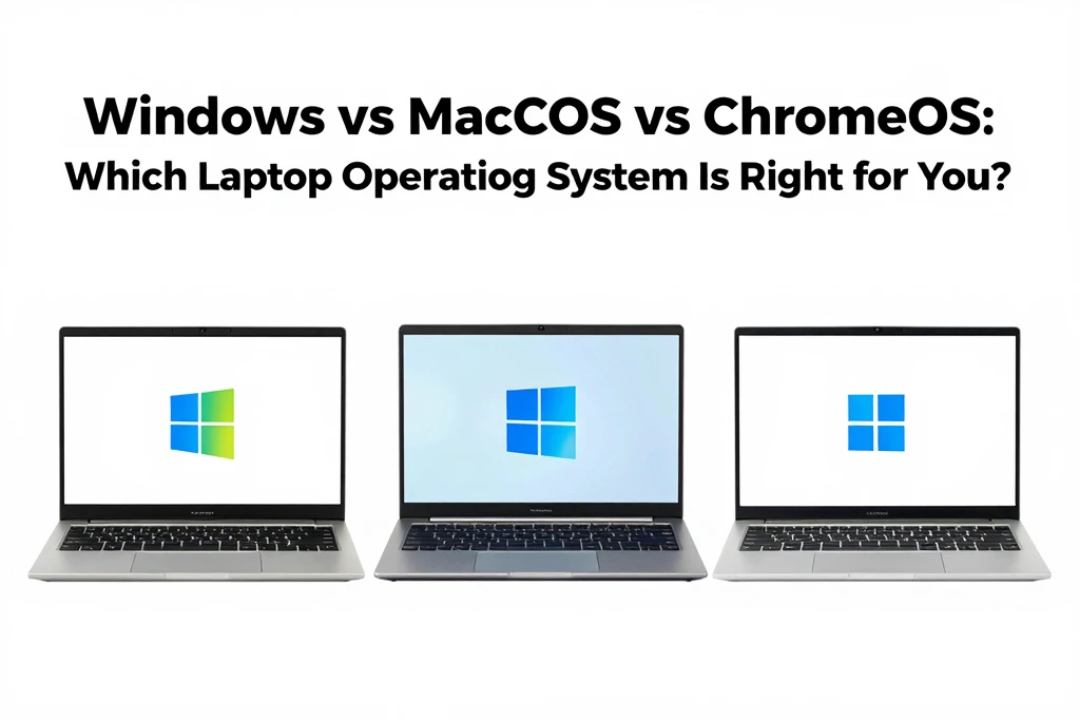
For most laptop buyers, the biggest choices are Windows, macOS, and ChromeOS. Each operating system has its own strengths, limitations, software ecosystem, hardware options, security features, and overall user experience.
Windows offers enormous hardware variety and broad software compatibility. macOS provides a polished experience closely integrated with Apple’s ecosystem. ChromeOS focuses on simplicity, cloud-based computing, security, and affordable hardware.
So, which one is right for you?
The answer depends on what you do with your laptop, your budget, the applications you need, and the devices you already use.
In this guide, we compare Windows vs macOS vs ChromeOS to help you choose the right laptop operating system for your needs.
Windows vs macOS vs ChromeOS at a Glance
Before looking at individual features, here is a quick overview.
| Feature | Windows | macOS | ChromeOS |
|---|---|---|---|
| Hardware Choice | Excellent | Limited to Apple | Good |
| Price Range | Budget to premium | Premium-focused | Budget to mid-range |
| Gaming | Excellent | Limited compared with Windows | Limited |
| Professional Software | Excellent | Excellent | More limited |
| Ease of Use | Easy | Very easy | Very easy |
| Security | Strong | Strong | Strong |
| Cloud Integration | Good | Excellent with Apple ecosystem | Excellent |
| Customization | High | Moderate | Limited |
| Battery Efficiency | Depends on device | Generally strong | Often strong |
| Best For | General users, gaming, work | Apple users, creators, professionals | Students, browsing, cloud work |
Now let’s look at each operating system in more detail.
Windows: The Most Flexible Laptop Operating System
Windows is one of the most widely used operating systems for personal computers and laptops.
One of its biggest advantages is hardware choice. You can find Windows laptops from numerous manufacturers in almost every price category.
Whether you need an inexpensive laptop for basic work or a powerful machine for gaming, programming, engineering, content creation, or professional applications, Windows gives you many choices.
Why Choose Windows?
1. Huge Hardware Selection
Windows laptops are available in a wide variety of designs and specifications.
You can choose from:
- Affordable student laptops
- Business laptops
- Gaming laptops
- 2-in-1 convertible devices
- Touchscreen laptops
- High-performance workstations
- Lightweight ultrabooks
This flexibility makes Windows particularly attractive to buyers who want to select hardware based on their exact requirements.
2. Excellent Gaming Support
For serious PC gaming, Windows remains a particularly strong choice.
The platform supports a huge range of PC games and gaming hardware, including dedicated graphics cards, gaming accessories, high-refresh-rate displays, and other components.
If gaming is one of your main reasons for buying a laptop, Windows should usually be near the top of your list.
3. Broad Software Compatibility
Windows supports a massive range of applications.
From office software and creative tools to engineering applications, development environments, utilities, and specialized business programs, Windows is compatible with many professional workflows.
This is especially important if your school, university, workplace, or business requires a specific Windows application.
4. More Customization
Windows gives users considerable control over the desktop environment, system settings, hardware configuration, file management, and third-party software.
Advanced users may appreciate this flexibility.
However, the additional options can sometimes make Windows feel more complicated than a simpler operating system.
Windows: Who Should Choose It?
Windows is a strong choice for:
- Gamers
- Students
- Business users
- Programmers
- Engineers
- General users
- People who need specialized software
- Buyers who want many hardware options
macOS: A Polished Experience for Apple Users
macOS is Apple’s desktop operating system and runs on Mac computers such as MacBook Air and MacBook Pro.
Unlike Windows, macOS is designed specifically around Apple’s own hardware.
This means Apple controls both the hardware and software experience.
The result is a highly integrated system where the operating system, processor, display, trackpad, battery management, and other components are designed to work together.
Why Choose macOS?
1. Excellent Apple Ecosystem Integration
One of macOS’s biggest strengths is its integration with other Apple devices.
If you already use an iPhone, iPad, or other Apple products, a Mac can fit naturally into that ecosystem.
Depending on the features and devices you use, tasks such as moving files, sharing content, accessing photos, or continuing certain activities across Apple devices can feel seamless.
2. Clean and Consistent Interface
macOS is known for its polished user interface.
The system is designed to provide a consistent experience across supported Mac hardware.
For users who prefer a straightforward interface without constantly changing hardware configurations, this can be appealing.
3. Strong Creative Software Support
Mac computers are popular among many creative professionals.
Depending on your workflow, macOS can be an excellent platform for:
- Photography
- Video editing
- Graphic design
- Music production
- Writing
- Web development
- General productivity
Apple’s hardware and software integration can also make MacBooks attractive to users who prioritize a premium portable experience.
4. Strong Battery Experience
Many modern MacBooks are known for strong battery efficiency.
Apple’s control over both its hardware and operating system allows it to optimize the experience around its processors and system architecture.
Actual battery life still depends on the model and workload, but battery efficiency is an important reason some users choose MacBooks.
macOS: Who Should Choose It?
macOS can be a great choice for:
- iPhone users
- Creative professionals
- Students who prefer Apple’s ecosystem
- Writers
- Developers
- Professionals who want a premium laptop
- Users who prefer a polished and consistent interface
ChromeOS: Simple, Fast, and Cloud-Focused
ChromeOS takes a different approach from Windows and macOS.
It is designed around simplicity, web applications, cloud services, and easy everyday computing.
Devices running ChromeOS are commonly called Chromebooks.
Chromebooks are particularly popular among students and users who primarily need a laptop for web browsing, documents, video calls, email, streaming, and other everyday activities.
Why Choose ChromeOS?
1. Simple User Experience
ChromeOS is designed to be easy to use.
If most of your computing happens through a web browser, you may not need the complexity of a traditional desktop operating system.
You can open the laptop, connect to the internet, sign in, and start working.
2. Great for Web-Based Work
ChromeOS works particularly well for cloud-based workflows.
It can be useful for:
- Google Docs
- Google Sheets
- Online classes
- Web research
- Video meetings
- Streaming
- Cloud storage
- Web applications
This makes it an attractive option for students and people whose work is primarily online.
3. Affordable Hardware
Chromebooks are available at many price points, including relatively affordable models.
This makes ChromeOS attractive for users who need a basic computer without spending heavily on premium hardware.
However, buyers should still pay attention to specifications. A low-cost Chromebook may not provide the same experience as a higher-end model.
4. Security and Automatic Updates
ChromeOS is designed with security and automatic updating in mind.
For users who do not want to spend a lot of time managing system maintenance, this simplicity can be a major advantage.
ChromeOS: Who Should Choose It?
ChromeOS is particularly suitable for:
- Students
- Casual users
- Web-focused workers
- People who primarily use cloud applications
- Families looking for a simple computer
- Users who prioritize affordability
Windows vs macOS vs ChromeOS for Students
Students have different requirements depending on their courses.
For basic research, writing assignments, presentations, web browsing, email, and online classes, all three platforms can work well.
However, students using specialized applications may need to check software compatibility before buying.
Best overall flexibility: Windows
Windows provides a wide range of hardware and software options.
Best Apple experience: macOS
If the student already uses an iPhone and other Apple products, a MacBook can be convenient.
Best for simple online work: ChromeOS
For browser-based education and cloud applications, a Chromebook can be an affordable option.
Windows vs macOS vs ChromeOS for Gaming
Gaming is an area where the differences become more significant.
Windows has the strongest position because of its broad game compatibility and support for gaming hardware.
macOS can handle some games, but its game library and compatibility are not as broad as Windows.
ChromeOS is primarily designed for lightweight, web-based, and cloud-oriented computing rather than traditional high-end PC gaming.
Best choice for gaming: Windows
If gaming is one of your main priorities, Windows is generally the safest choice.
Windows vs macOS vs ChromeOS for Work
For office work, all three platforms can handle common productivity tasks.
Your choice depends on the applications and workflow you use.
Windows can be particularly useful for businesses that rely on Windows-specific applications.
macOS is attractive to professionals who value Apple’s ecosystem and premium hardware.
ChromeOS works well for organizations and individuals that rely heavily on cloud applications.
The most important question is not which operating system looks best, but whether it supports the software your job requires.
Windows vs macOS vs ChromeOS for Creative Work
Creative users should consider the applications they use most.
Photo editing, graphic design, video production, music production, and other creative workflows can require significant processing power and specialized software.
Windows provides many hardware choices, including powerful GPUs.
macOS offers a polished experience and strong creative software support.
ChromeOS is better suited to lighter web-based creative tasks unless your workflow specifically supports the platform’s available applications.
Security Comparison
Security is important regardless of which operating system you choose.
Windows, macOS, and ChromeOS all include security technologies designed to protect users.
However, user behavior still matters.
Good security practices include:
- Keep the operating system updated
- Use strong passwords
- Enable multi-factor authentication
- Avoid suspicious downloads
- Be careful with email attachments
- Install applications from trusted sources
- Back up important files
No operating system can completely eliminate security risks.
Which Operating System Is Easiest to Use?
This depends on your experience and expectations.
ChromeOS is arguably the simplest option for users whose activities are mostly browser-based.
macOS offers a polished interface that many users find intuitive.
Windows provides more options and flexibility, but that can also mean more settings to manage.
For someone moving from another platform, the learning curve will depend heavily on what they already know.
Price: Which Platform Offers Better Value?
Price is another major difference.
Windows gives you the widest selection of prices. You can find inexpensive machines as well as premium laptops.
ChromeOS is particularly strong in the budget segment, although premium Chromebooks also exist.
MacBooks generally occupy the premium segment, meaning the initial purchase price can be higher.
However, value should not be judged only by purchase price.
Consider:
- Performance
- Battery life
- Build quality
- Software requirements
- Expected lifespan
- Repairability
- Accessories
- Storage
- Warranty
A slightly more expensive laptop may be better value if it meets your needs for several additional years.
Which Laptop Operating System Should You Choose?
Use this simple guide:
| Your Main Need | Recommended OS |
|---|---|
| Gaming | Windows |
| Maximum hardware choice | Windows |
| Specialized Windows software | Windows |
| Apple ecosystem | macOS |
| Premium portable experience | macOS |
| Creative professional work | macOS or Windows |
| Basic web browsing | ChromeOS |
| Online education | ChromeOS or Windows |
| Budget laptop | ChromeOS or Windows |
| Maximum customization | Windows |
| Simple cloud-based computing | ChromeOS |
Important Things to Check Before Buying
Before purchasing a laptop, do not choose an operating system simply because it is popular.
First, make a list of the applications you actually use.
Ask yourself:
Does my software run on this operating system?
Then consider hardware.
If you want a gaming laptop, check GPU performance.
If you travel frequently, look at battery life and weight.
If you work with large files, consider storage capacity.
If you attend online meetings, check the webcam and microphone.
If you already own a smartphone, consider ecosystem compatibility.
These factors can matter more than the operating system itself.
Final Thoughts
The Windows vs macOS vs ChromeOS debate does not have one universal winner.
Windows is the most flexible choice, offering extensive hardware selection, broad software compatibility, and strong gaming support.
macOS is an excellent option for people who value Apple’s ecosystem, premium hardware, battery efficiency, and a polished user experience.
ChromeOS is ideal for users who want a simple, affordable, secure, and cloud-focused laptop for everyday computing.
The best operating system is ultimately the one that fits your workflow.
Instead of asking which platform is universally better, ask a more useful question: Which operating system works best with the software, devices, budget, and tasks that matter to me?
Once you answer that question, choosing the right laptop becomes much easier.
Frequently Asked Questions
Is Windows better than macOS?
Neither is universally better. Windows offers greater hardware choice, customization, and gaming support, while macOS provides strong Apple ecosystem integration and a polished experience.
Is ChromeOS better than Windows?
ChromeOS can be better for users who mainly browse the web and use cloud applications. Windows is generally more versatile for specialized software, gaming, and advanced workloads.
Which operating system is best for students?
It depends on the student’s course and software requirements. ChromeOS can be excellent for web-based education, while Windows may be better for specialized academic software.
Which operating system is best for gaming?
Windows is generally the best choice for PC gaming because of its broad game and hardware compatibility.
Is macOS good for professional work?
Yes. macOS can be an excellent platform for creative work, development, productivity, and many professional workflows.
Are Chromebooks good for everyday use?
Yes. Chromebooks can be excellent for browsing, email, streaming, documents, online classes, and cloud-based applications.
Can I run Windows applications on macOS?
Some Windows applications have Mac versions, while others may require alternative solutions or compatibility tools. Always check the specific software requirements before buying a Mac.
Which operating system is easiest for beginners?
ChromeOS is particularly straightforward for users whose needs are primarily web-based. macOS is also known for its polished and relatively intuitive interface.
Final Verdict
Choose Windows if you want flexibility, gaming, broad software compatibility, and many laptop choices.
Choose macOS if you want a premium experience and already use Apple’s ecosystem.
Choose ChromeOS if you mainly need an affordable, simple laptop for web-based work, education, and everyday tasks.
The right operating system is not necessarily the one with the most features. It is the one that makes your daily tasks easier, supports your essential software, and fits your budget.