







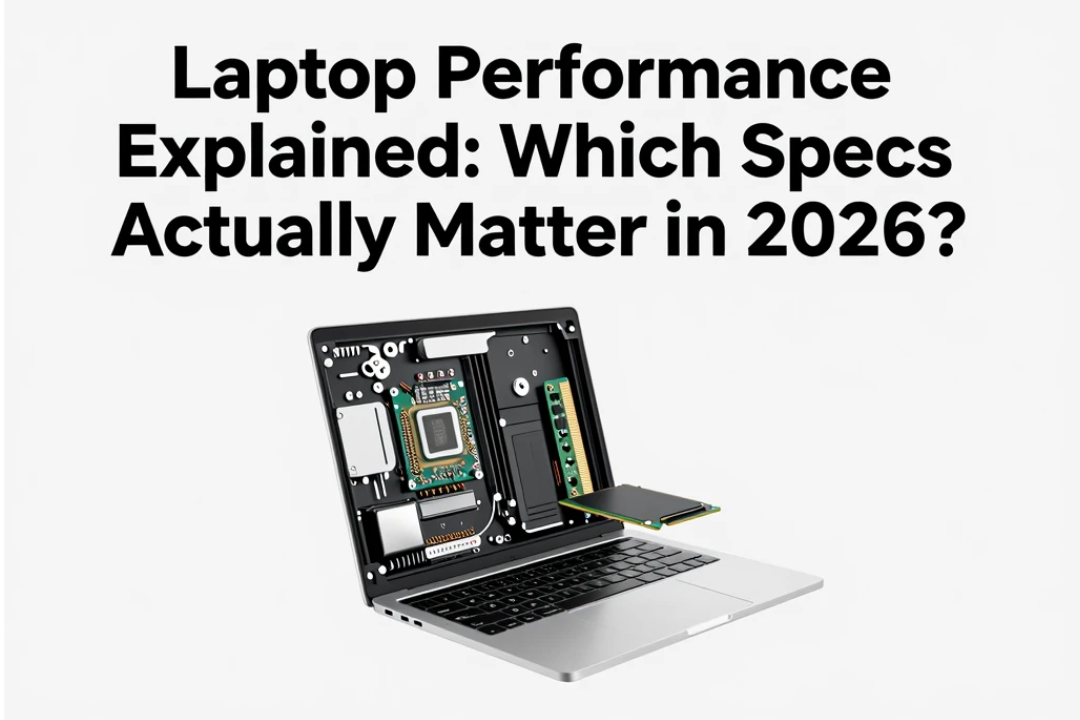
Buying a laptop in 2026 can be confusing. Manufacturers advertise powerful processors, large amounts of RAM, fast SSD storage, high-refresh-rate displays, AI features, dedicated graphics, and impressive battery claims.
But which specifications actually matter?
A laptop with a long list of impressive numbers isn’t necessarily the best choice. The right laptop depends on how you plan to use it. A student browsing the web and writing assignments has very different requirements from a video editor, software developer, gamer, or business professional.
Understanding the most important laptop specifications can help you avoid spending money on features you don’t need while making sure your new computer has enough performance for years to come.
In this guide, we’ll explain which laptop specs actually matter in 2026, including processors, RAM, storage, graphics, displays, battery life, connectivity, and AI capabilities.
1. The Processor Is Still One of the Most Important Specs
The CPU, or processor, is one of the main components responsible for laptop performance.
It handles many of the instructions required to run applications and perform everyday tasks.
Modern laptop processors are available with different numbers of cores and performance levels. However, simply comparing the number of cores isn’t enough.
Processor architecture, efficiency, clock behavior, thermal design, and workload all influence real-world performance.
For everyday tasks such as:
- Web browsing
- Microsoft Office
- Video streaming
- Online meetings
- Light photo editing
A modern mid-range processor is often more than sufficient.
For demanding workloads such as video editing, 3D rendering, software development, scientific applications, and high-end gaming, a more powerful processor becomes much more important.
Don’t Buy Based on Processor Name Alone
A newer processor isn’t automatically faster in every workload.
When comparing laptops, look at the overall processor class and the type of work you intend to perform.
For most users, it is better to choose a balanced modern CPU than to spend a large amount of money on a high-end processor that will rarely be used to its full potential.
2. RAM Matters for Multitasking
RAM, or memory, determines how much information your laptop can keep readily available while applications are running.
If you frequently switch between multiple browser tabs, applications, documents, and communication tools, having enough RAM can make the system feel much smoother.
How Much RAM Do You Need in 2026?
A practical starting point is:
| User Type | Recommended RAM |
|---|---|
| Basic browsing and office work | 8GB |
| Students and everyday users | 8GB–16GB |
| Business and multitasking | 16GB |
| Content creators | 16GB–32GB |
| Developers and advanced users | 16GB–32GB+ |
| Professional workstation use | 32GB or more |
| High-end gaming | 16GB–32GB |
For a new laptop in 2026, 16GB is a strong target for many users.
If you’re buying a premium laptop and expect to keep it for several years, more RAM can provide additional headroom.
3. SSD Storage Is Essential
Storage affects more than how many files you can keep.
A fast SSD can significantly improve everyday responsiveness compared with older mechanical hard drives.
With an SSD, tasks such as starting the operating system, launching applications, opening files, and transferring data can feel much faster.
For most buyers, an SSD should be considered essential.
How Much Storage Do You Need?
256GB: Suitable for light users, but can become restrictive quickly.
512GB: A good choice for many students, office users, and general laptop buyers.
1TB: Recommended for users who store large media libraries, games, software projects, or video files.
2TB or more: Useful for professional content creators, gamers, developers, and users with large local storage requirements.
If the laptop has upgradeable storage, that can also improve its long-term value.
4. Graphics Performance Depends on Your Workload
Not everyone needs a dedicated GPU.
Integrated graphics found in modern processors can handle many everyday tasks, including web browsing, office applications, video playback, basic image editing, and some casual gaming.
A dedicated graphics processor becomes more important for:
- Modern gaming
- 3D modeling
- Video editing
- 3D rendering
- CAD applications
- AI workloads
- Professional creative applications
If you’re buying a laptop primarily for office work, spending extra on a powerful dedicated GPU may not provide much practical benefit.
For gaming and professional creative work, however, graphics performance can be one of the most important specifications.
5. Display Quality Matters More Than Many Buyers Realize
You interact with your laptop display every time you use it.
That makes screen quality an important part of the overall experience.
Instead of focusing only on resolution, consider:
- Panel technology
- Brightness
- Color accuracy
- Refresh rate
- Viewing angles
- Screen size
- Aspect ratio
- Anti-reflective properties
A high-resolution display isn’t automatically better if it is dim or has poor color reproduction.
For office work, productivity, and general use, a good-quality Full HD or higher display can be perfectly adequate.
Creative professionals may want higher color accuracy and better coverage of relevant color spaces.
Gamers may prioritize refresh rate and response time.
6. Refresh Rate Isn’t Everything
High-refresh-rate displays have become increasingly common.
A 120Hz or higher display can make scrolling and animations appear smoother than a standard 60Hz panel.
This can be particularly noticeable when gaming or moving through large webpages.
However, refresh rate shouldn’t be considered more important than overall display quality.
A bright, color-accurate screen with a sensible refresh rate may be a better choice than a very high-refresh-rate display with poor brightness or color reproduction.
7. Battery Life Is About More Than Battery Capacity
Laptop battery capacity is usually measured in watt-hours, but a larger battery doesn’t automatically guarantee longer battery life.
Actual runtime depends on:
- Processor efficiency
- Display brightness
- Screen resolution
- Refresh rate
- Background applications
- Wireless connectivity
- Battery capacity
- Workload
- Operating system optimization
A highly efficient laptop with a moderate battery can sometimes last longer than a powerful laptop with a larger battery.
When possible, look at real-world battery tests rather than relying only on the manufacturer’s advertised figures.
8. AI Features Are Becoming More Important
AI is becoming an important part of laptop hardware.
Modern laptops may include dedicated AI processing hardware designed to handle certain machine-learning tasks efficiently.
These capabilities can support features such as:
- AI-assisted productivity
- Background blur during video calls
- Noise reduction
- Image processing
- Local AI applications
- Intelligent power management
- Voice and language features
However, don’t buy a laptop simply because it has an AI-related label.
AI capabilities are most valuable when they support software and workflows you actually use.
9. Cooling Affects Sustained Performance
A laptop may have a powerful processor, but it still needs an effective cooling system.
When a laptop becomes too hot, it may reduce performance to control temperatures.
This is known as thermal throttling.
Cooling systems can include:
- Fans
- Heat pipes
- Vapor chambers
- Larger cooling systems
- Software-controlled fan profiles
Thin laptops often prioritize portability and quiet operation, while performance laptops may use larger cooling systems.
If you plan to perform long rendering, gaming, or other demanding workloads, sustained performance can be more important than short-term benchmark results.
10. Ports and Connectivity Still Matter
Wireless connectivity is important, but physical ports remain useful.
Depending on your needs, look for:
- USB-C
- USB-A
- HDMI
- Headphone jack
- SD or microSD card reader
- Ethernet
- High-speed external display support
USB-C has become particularly important because it can support charging, data transfer, displays, and accessories depending on the laptop.
Before buying, check exactly what each port supports rather than assuming every USB-C port offers the same capabilities.
11. Keyboard and Trackpad Affect Everyday Productivity
Performance specifications don’t tell the whole story.
If you spend several hours typing every day, keyboard quality can have a major impact on your experience.
Look for:
- Comfortable key travel
- Good key spacing
- Reliable backlighting
- Accurate trackpad
- Comfortable palm rest
For business users, writers, students, and programmers, a great keyboard can be more valuable than a small increase in processor performance.
12. Build Quality and Weight Matter
A laptop is a portable computer, so physical design matters.
Consider:
- Weight
- Thickness
- Hinge quality
- Chassis construction
- Portability
- Durability
If you travel frequently, a lightweight laptop may be more practical.
If you’re buying a desktop replacement, additional weight may be acceptable if it provides better cooling, a larger screen, and stronger performance.
13. Software Support Can Affect Long-Term Value
A laptop isn’t just hardware.
Software support, operating-system compatibility, driver updates, security patches, and manufacturer support can affect how long the device remains useful.
When buying a laptop, consider how long you expect to keep it.
A slightly more expensive laptop with better long-term support and repair options may provide better value than a cheaper model that becomes difficult to maintain.
14. Don’t Ignore Webcam and Microphone Quality
Video meetings are now a normal part of work, education, and communication.
A laptop with a poor webcam can make an otherwise excellent device frustrating for frequent online meetings.
Look for:
- Good webcam resolution
- Clear microphones
- Noise reduction
- Automatic image adjustment
- Privacy shutter where available
AI-powered camera and audio features can also improve video calls by reducing background noise or adjusting framing.
15. What Specs Matter Most for Different Users?
The most important specifications depend heavily on your workload.
| User | Most Important Specs |
|---|---|
| Student | CPU, 16GB RAM, SSD, battery life |
| Office user | CPU, RAM, keyboard, display, battery |
| Content creator | CPU, GPU, RAM, display, SSD |
| Gamer | GPU, CPU, cooling, display refresh rate |
| Programmer | CPU, RAM, SSD, display, keyboard |
| Traveler | Weight, battery, build quality, connectivity |
| Professional user | CPU, RAM, storage, display, support |
This is why there isn’t one perfect laptop for everyone.
Common Laptop Buying Mistakes
One of the biggest mistakes is focusing on a single specification.
A laptop with a powerful processor but poor cooling may not deliver sustained performance.
Similarly, a laptop with a beautiful high-resolution display may have disappointing battery life.
Other common mistakes include:
- Buying more RAM than necessary
- Choosing too little storage
- Ignoring display brightness
- Ignoring keyboard quality
- Buying a dedicated GPU without needing one
- Relying only on benchmark scores
- Ignoring upgradeability
- Forgetting about ports
- Choosing portability without considering performance needs
The best laptop is usually the one with the right balance of features.
What Is the Best Laptop Specification Combination in 2026?
For a typical user, a balanced configuration might include a modern efficient processor, 16GB of RAM, at least 512GB of SSD storage, a good-quality display, reliable battery life, modern connectivity, and strong build quality.
Content creators and gamers should consider adding a more capable dedicated GPU and additional RAM or storage depending on their workload.
The key is balance.
You don’t need the most expensive specification in every category.
Final Thoughts
Understanding laptop specifications can make buying a new computer much easier.
The processor matters, but it isn’t everything. RAM affects multitasking, SSD storage improves responsiveness, graphics performance matters for demanding workloads, and display quality affects every interaction with the machine.
Battery efficiency, cooling, connectivity, keyboard quality, build quality, and software support also have a major impact on the overall experience.
In 2026, AI capabilities are becoming another important consideration, but they should be evaluated based on practical use rather than marketing terminology.
Ultimately, the best laptop isn’t the one with the biggest numbers on the specification sheet. It’s the one that provides the right combination of performance, battery life, portability, display quality, reliability, and features for your specific needs.